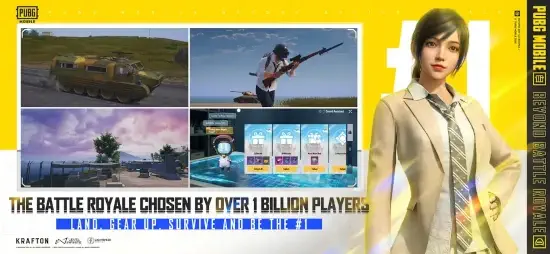
PUBG Mobile took over the world in 2018. Everyone was playing. Your friends. Your classmates. Your coworkers. The game that brought battle royale to mobile proved that phones could handle 100 player shooters.
PUBG Mobile in 2026 is not just a shooter. It is a tactical survival game. You loot weapons and armor. You position yourself for the shrinking safe zone. You communicate with your squad. You survive against 99 other players. The game rewards patience and strategy over run and gun chaos. Understanding the mechanics helps you win more matches instead of dying in the first five minutes.
Mobile battle royale exploded after PUBG Mobile proved the genre worked on phones. Call of Duty Mobile added traditional multiplayer modes alongside battle royale. Free Fire targeted lower-end devices with 50 player matches and shorter rounds. Fortnite brought building mechanics and cartoon graphics. PUBG Mobile stayed focused on what made the original work: tactical survival, realistic gunplay, and squad coordination. No building. No superhero abilities. Just loot, position, and shoot.
The game holds a 4.3 star rating on the App Store based on over 10 million reviews. Size sits around 4 GB depending on downloaded maps and resources. Age range stretches from teenagers playing after school to adults who have been playing since launch. If you prefer a faster battle royale with shorter matches, Free Fire offers 50 player rounds.
What Is PUBG Mobile?
A 100 player battle royale shooter. Parachute onto a map from a plane. Loot weapons, armor, and supplies from buildings and crates. Fight to be the last player or squad standing. The safe zone shrinks over time, forcing players together. Stay inside or take damage. Simple premise. Deep execution.
Who It Is For
Players who enjoy tactical shooters where positioning matters. People who prefer strategy over fast-paced run and gun action. Squads who want to play together with voice chat. Anyone who liked the original PUBG on PC and wants the same feel on mobile.
The Mobile Adaptation
Built specifically for touchscreens, not just a port. Customizable controls let you place buttons where your thumbs rest. Auto pickup options grab useful items automatically. Aim assist helps with target acquisition. The game is designed for mobile play.
Free to Play
Download free. Play free. Monetization comes from skins, battle passes, and cosmetic items. Nothing that affects gameplay. A free player with skill beats a paying player with expensive skins every time.
PUBG Mobile 2026 State: What’s New
New Maps
Maps added since the original launch. Erangel is the classic grassland map. Miramar is the desert map with long sightlines. Sanhok is the small jungle map for fast-paced fights. Vikendi is the snow map with footprints visible. Livik is the smallest map with 52 players and matches under 15 minutes. Each map offers different terrain and tactics.
New Modes
Classic Mode is the standard battle royale experience. Payload Mode adds heavy weapons and helicopters for chaos. 4v4 Arena is team deathmatch for practicing gunplay. Infection Mode is zombie-themed where infected players turn. Metro Royale is a looter shooter where you risk your gear. The variety keeps the game fresh.
Weapons and Vehicles
New guns added regularly with each season. New vehicles for getting around maps. New attachments for customizing weapons. The meta shifts with each update. What worked last season may not work this season.
Themed Events
Collaborations with movies, music artists, and brands. Limited time modes that change gameplay. Exclusive rewards for participating. The events bring players back to try new content.
Ptopia Design Project
Community driven creation initiatives. Players design items and maps. The best ideas get added to the game. Your design could appear in a future update.
PUBG Mobile Game Modes: What You Actually Play
Classic Mode
The standard battle royale experience. 100 players drop onto a map. Solo, duo, or squad. Parachute, loot, survive, win. Matches last 20 to 30 minutes. The mode that started it all. The most competitive mode.
Payload Mode
Heavy weapons and helicopters change the game. Rocket launchers for destroying vehicles. Guided missiles for long range kills. Helicopter combat for air superiority. More chaos. More explosions. Good for players who want action over tactics.
4v4 Arena
Team deathmatch on small maps. No looting. No vehicles. Just shooting. Quick respawns keep you in the action. Good for practicing gunplay without the battle royale pressure. Good for warming up before Classic Mode.
Infection Mode
Zombie-themed mode. Some players start as zombies. Others survive as humans. Infected players turn into zombies. Last humans standing win. Seasonal mode that returns periodically. Good for casual fun.
Metro Royale
Looter shooter mode. Enter maps with your own gear that you brought. Extract with valuable loot. Risk losing equipment permanently if you die. High stakes. High rewards. Different from the battle royale formula.
Training Mode
Practice aim, recoil control, and movement. Test weapons with different attachments. Learn map layouts. No pressure. No opponents. The place to improve without risking your rank.
PUBG Mobile Maps: Where You Fight
Erangel
The original map that started it all. Grasslands, forests, and villages. Balanced for all play styles. Good for snipers in open fields. Good for close-range fights in compounds. The classic battle royale experience.
Miramar
Desert map with wide open spaces. Long sightlines favor snipers and DMRs. Vehicles are essential for crossing open areas. Camping in buildings is viable. Good for patient players.
Sanhok
Small jungle map with dense vegetation. Close range fights dominate. Fast-paced matches with constant action. Good for aggressive players who want to fight early.
Vikendi
Snow map with footprints visible in snow. Lots of trees and rocks for cover. Mix of close and long-range fights. Night mode available for different visibility conditions.
Livik
Small map designed for mobile. 52 players instead of 100. Matches under 15 minutes. Good for quick sessions on the go. Popular with mobile players who do not have 30 minutes.
PUBG Mobile Weapons and Loot: What You Need
Weapon Types
Assault rifles like M416, AKM, and SCAR-L are versatile. SMGs like UMP45 and Vector dominate close range. Snipers like AWM and Kar98k kill in one headshot. DMRs like Mini-14 and SKS bridge the gap between rifles and snipers. Shotguns like S12K and DBS destroy in buildings. Pistols like P18C and Deagle are backup weapons. Each type has strengths and weaknesses.
Attachments
Scopes from red dot to 8x change your effective range. Grips like vertical, angled, and lightweight affect recoil. Muzzles like compensator, suppressor, and flash hider change noise and recoil. Magazines like extended and quickdraw improve capacity and reload speed. Stocks like tactical and cheek pad improve stability. Attachments change gun performance significantly.
Armor and Helmets
Level 1, 2, and 3 for both armor and helmets. Higher levels absorb more damage. Helmets protect against headshots. Armor protects your body. Repair damaged gear with armor plates found in loot. A Level 3 helmet can save you from a sniper headshot.
Healing Items
Bandages heal slowly over time. First aid kits restore 75% of your health quickly. Med kits restore 100% of your health. Boost items like energy drinks, painkillers, and adrenaline syringes restore health over time and give a speed boost. Boost is essential for long rotations.
Loot Strategy
Land in named locations for better loot quality. Loot quickly and efficiently. Share excess loot with your squad. Do not spend too much time looting. The circle waits for no one. Loot from enemies you kill instead of searching buildings late game.
If you prefer a faster battle royale with shorter matches, check out Free Fire for 50 player rounds.
PUBG Mobile Graphics and Performance
Visual Style
Realistic military-shooter look defines PUBG Mobile. Detailed maps with distinct biomes. Recognizable weapons modeled after real firearms. Vehicles with physics that matter for driving and crashing. Environmental variety from snow on Vikendi to desert on Miramar to jungle on Sanhok. The visual style supports tactical play by making terrain and cover readable.
Graphics Settings
Flexible system for different devices. Smooth gives low graphics but high frame rates. Balanced offers medium graphics and medium frame rates. HD provides high graphics with lower frame rates. HDR delivers the highest graphics at the lowest frame rates. Choose based on your device’s capabilities and your preference for visuals versus performance.
Performance Tips
Lower graphics for smoother frame rates. Lower resolution for better battery life during long sessions. Disable shadows for better visibility of enemy players. The game runs on most devices, but older phones need lower settings to maintain playable frame rates.
Visibility Advantage
Lower graphics settings make enemies easier to spot. Grass renders less at distance. Shadows disappear, removing hiding spots. Competitive players often use Smooth graphics for this advantage. You trade visual fidelity for better performance and visibility.
Device Support
Runs on most iPhones from iPhone 7 and newer. Newer iPhones handle HDR graphics at 60 FPS smoothly. Older devices need lower settings to maintain playable frame rates. The game is well-optimized for a wide range of devices.
PUBG Mobile Similar Games
| Game | Main Similarity |
|---|---|
| Call of Duty Mobile | Battle royale plus multiplayer shooting modes |
| Free Fire | Fast mobile battle royale with shorter matches |
| Fortnite | Battle royale with building mechanics and live events |
| New State Mobile | Tactical shooter with modern battle royale design |
| Rules of Survival | Survival-focused mobile shooter with large matches |
The Differentiation
Call of Duty Mobile offers both battle royale and traditional multiplayer modes. Faster paced. More arcade feel. Free Fire targets lower-end devices with 50-player matches and shorter rounds, matches under 15 minutes. Fortnite adds building mechanics and cartoon graphics, completely different gameplay loop. New State Mobile is PUBG’s successor with futuristic setting and updated mechanics. Rules of Survival was an early competitor with larger player counts but less polish.
PUBG Mobile stands out for its tactical, realistic approach. No building. No superhero abilities. No arcade power-ups. Just loot, position, shoot. The gunplay rewards skill and practice over reflexes alone.
If you search PUBG Mobile similar games, these five appear most often. Each does something well. PUBG Mobile does tactical battle royale better than anyone.
PUBG Mobile Tips and Tricks
Use Training Mode to Improve Recoil Control
Spend time in training mode. Learn how each gun behaves when you hold the trigger. Practice spraying at targets at different distances. The training mode is free and unlimited. Top players spend hours there.
Keep Voice Chat Active in Squads
Communication wins matches. Call out enemy positions with direction and distance. Coordinate pushes so you attack together. Share loot so everyone has good gear. A talking squad beats a silent squad every time.
Lower Graphics Settings for Smoother Frame Rates
Smooth graphics give higher FPS. Higher FPS means faster reactions and smoother aiming. Competitive players use low settings for the advantage. You are not missing anything by turning graphics down.
Learn at Least One Landing Zone Well
Pick a spot on your favorite map. Drop there every game. Learn every building layout. Know where loot spawns. Loot faster than opponents who land there. Win early fights and rotate out.
Rotate Toward the Safe Zone Early
Do not wait for the circle to push you from behind. Rotate early to take good positions inside the zone. Avoid getting caught outside the zone where you take damage and cannot see enemies.
Practice with Different Weapon Types
Do not rely on one gun you are comfortable with. Learn ARs for medium range. Learn SMGs for close range. Learn snipers for long range. Learn DMRs as a hybrid. You cannot always find your favorite weapon. Adapt.
Watch Update Notes and Event News
New weapons change the meta. Balance patches affect damage and recoil patterns. Events bring limited-time modes with different rules. Stay informed so you are not surprised.
Use Cover Constantly
Never stand in the open. Move from cover to cover. Peek from behind objects. Use trees, rocks, buildings, and vehicles. A player in cover has a huge advantage over a player in the open.
Listen for Footsteps
Sound matters more than visuals in close quarters. Wear headphones. Footsteps reveal enemy positions through walls. Gunshots indicate direction and distance. Vehicles announce arrivals from far away.
Revive Squadmates When Safe
A full squad wins more fights than a solo or duo. Revive teammates when the area is clear of enemies. Use smoke grenades for cover during revives. Do not revive in the open.
PUBG Mobile Monetization: Free vs Paid
Free Version
Full gameplay access. All maps and modes available. All weapons and vehicles usable. No pay-to-win mechanics. Free players can reach the highest ranks with skill alone. The game does not sell power.
Royal Pass
Seasonal battle pass that resets every season. Free track gives some rewards like basic skins and currency. Paid track gives more rewards including rare skins, outfits, and exclusive currency. Does not affect gameplay. Pure cosmetics.
Crates and Draws
Random reward systems. Skins for weapons. Outfits for characters. Vehicle skins for cars and boats. Cosmetic only. No gameplay advantage. Draw rates are published.
Shop
Direct purchase of items without randomness. Outfits, gun skins, emotes, and other cosmetics. Priced in UC (Unknown Cash), the premium currency. Optional. Not needed to compete.
Fair Play
No pay to win. A free player with skill beats a paying player with expensive skins every time. The playing field is level. The game is fair.
PUBG Mobile Community and Social Features
Friend System
Add friends by username or recent teammates. See when they are online and what they are playing. Invite to squad with one tap. Message within the app. The friend system keeps you connected.
Voice Chat
In-game voice chat during matches. Talk to squadmates in real time. Coordinate pushes, call out enemies, plan rotations. Essential for competitive play. Use headphones.
Clans
Join or create clans with up to 100 members. Clan chat for communication. Clan events for rewards. Clan leaderboards for competition. Good for finding regular teammates who play at the same time.
Leaderboards
Global rankings for top players. Regional rankings for your area. Friend rankings to compare with people you know. See where you stand. Competitive players chase leaderboard positions.
Ptopia Design Project
Community creation initiative. Players design items, maps, and modes. Best ideas get added to the game by developers. Your design could appear in a future update.
Conclusion: Should You Play PUBG Mobile in 2026?
The honest answer is yes. PUBG Mobile remains the best tactical battle royale on mobile. The gunplay feels right with realistic recoil patterns. The maps are well designed with varied terrain. The squad play is rewarding with voice chat coordination. The game is fair with no pay to win. The player base is huge, so matchmaking is fast at any hour.
What works: Tactical, realistic gunplay that rewards skill. Well designed maps with variety from desert to jungle to snow. Squad play with voice chat for coordination. Fair monetization with no pay-to-win. Huge player base for quick matchmaking. Regular updates with new content every season.
What does not: Can be hard for beginners who are not used to battle royale. Steep learning curve for recoil control and positioning. Older devices struggle with performance and need low settings. Matches can be long at 20 to 30 minutes. Cheaters exist, though anti-cheat improves each update.
What do you want from a mobile shooter? If you want tactical, realistic battle royale with squad play, PUBG Mobile delivers. If you want faster matches under 15 minutes or building mechanics, Free Fire or Fortnite might fit better.
If you prefer a faster battle royale with shorter matches, check out Free Fire for 50 player rounds.
Video by ZYD Review
FAQ
Where can I download PUBG Mobile safely on my phone?
Download PUBG Mobile from App Store
What is the PUBG Mobile wiki and where can I find it?
The community wiki is a goldmine. Weapon stats. Map callouts. Vehicle spawn locations. Mode breakdowns. You can find it at: PUBG Mobile Wiki. New players use it to stop dying in the first two minutes. Veteran players use it to argue about recoil patterns.