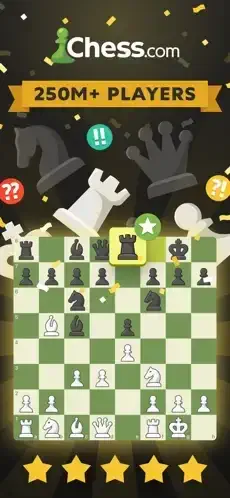
Chess is thousands of years old. The rules have not changed. The board is still 64 squares. The pieces still move the same way. But how people learn and play has changed completely.
Chess is not just a board where you move pieces. It is a full ecosystem. Live games against people around the world. Puzzles to sharpen your tactics. Analysis to show where you went wrong. Lessons to teach you openings you never knew. Bots to practice against when you do not want the pressure of playing a real person. The question is whether it is the best way to play chess in 2026.
Chess is not just a chess app. It is a complete platform. You play games against people at your skill level. You review them with engine analysis that shows your mistakes. You solve puzzles to sharpen tactical vision. You watch lessons to learn openings, endgames, and strategy. Understanding how to use all the features helps you improve faster than just playing games alone.
The app holds a 4.8 star rating on the App Store based on over 716,000 reviews. Size sits around 445 MB depending on cached assets. Age range stretches from children learning the game to adults who have played for decades. If you prefer a completely free alternative with no premium features, Lichess offers open source chess.
What Is Chess from Chess.com?
Chess.com is a free to download chess platform developed by Chess.com that offers online multiplayer matches, lessons, puzzles, bots, tournaments, and game analysis. It is the world’s largest chess community, with over 250 million members, and serves players of all levels from beginners to grandmasters.
Think of it as a complete chess school and club in your pocket. Play against people worldwide, learn from lessons, solve puzzles, analyze your games, and compete in tournaments. It is everything you need to learn and improve at chess. Unlike other platforms, Chess.com combines play, study, and social features in one comprehensive ecosystem.
Beginners learning chess start with lessons and bots. Intermediate players improve their game with puzzles and analysis. Advanced players compete in tournaments. Parents teach children using safe features. Anyone who enjoys chess at any level will find value.
How Chess.com Works
Chess.com operates through fifteen interconnected systems: online multiplayer, chess bots, lessons, puzzles, game review, self analysis, cloud analysis, tournaments, vision training, study plans, badges, video lessons, openings explorer, endgame practice, and live events. Online multiplayer connects players worldwide. Bots provide practice against computer opponents. Lessons teach chess concepts. Puzzles improve tactics. Game review analyzes games with engine analysis. Self analysis allows manual review. Cloud analysis uses cloud power. Tournaments offer competition. Vision training improves board visualization. Study plans provide structured learning. Badges track progress. Video lessons feature masters. Openings explorer studies variations. Endgame practice works on endgames. Live events stream top players.
The basic flow is straightforward. Create a free account or sign in with existing credentials. Play online matches against players worldwide or challenge bots. Solve daily puzzles or rated puzzles to improve tactics. Watch video lessons or read text lessons to learn new concepts. Analyze your games with Game Review or Self Analysis. Compete in tournaments for rated games and prizes. Follow study plans and earn badges for progress. Use Vision Training and Endgame Practice to sharpen specific skills. Watch live events and follow top players. Repeat to improve your rating, unlock advanced features, and earn achievements.
The platform’s strength is integration of play, study, and analysis. Users can go from playing games to solving puzzles to watching lessons without leaving the app.
Chess Key Features
Online Multiplayer
Play rated or unrated games against players worldwide with various time controls (bullet, blitz, rapid, daily). Connect with millions of players at your skill level.
Chess Bots
Play against 100+ computer personalities with unique skills, playing styles, and witty comments, ranging from beginner to master level. Practice without rating pressure.
Lessons
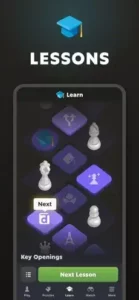
Learn with a massive lesson library covering rules, tactics, strategy, openings, endgames, and positional concepts for all levels. Structured learning from beginner to advanced.
Puzzles
Solve thousands of tactics puzzles, including daily puzzles, rated puzzles, Puzzle Rush, and Puzzle Battle. Improve pattern recognition and tactical awareness.
Game Review
Analyze your games with state of the art engine analysis, move classifications, accuracy scores, and virtual coach explanations (premium feature). Learn from every game.
Self Analysis
Use Stockfish and Komodo engines to review your game, add comments, annotations, highlights, and arrows. Manual analysis for deep understanding.
Cloud Analysis
Analyze positions in great detail using cloud-based engine power. Access deeper engine analysis without using your device’s processing power.
Tournaments
Compete in Arena and Swiss tournaments with rated games and prizes. Test your skills against diverse opponents in competitive settings.
Vision Training
Improve board visualization with specialized vision exercises. Develop the ability to calculate moves and plan ahead without moving pieces.
Study Plans
Follow structured study plans tailored to your level and goals. Consistent, guided improvement with clear milestones.
Badges and Achievements
Earn badges for completing lessons, puzzles, and challenges. Track your progress and stay motivated.
Video Lessons
Watch video lessons from masters and grandmasters. Learn from the best players in the world.
Openings Explorer
Study opening variations and book moves. Build a strong opening repertoire.
Endgame Practice
Practice specific endgame positions against the computer. Learn to convert winning positions and save difficult ones.
Live Events
Watch top players compete in live tournaments with real-time analysis. Follow the best players in the world.
Chess Graphics and Design
Chess.com uses a clean, modern interface with customizable board themes, piece sets, and sound effects. The design prioritizes clarity and ease of use, with intuitive navigation for play, lessons, puzzles, and analysis.
Visual Strengths
High-quality board themes and piece sets make the game visually appealing. Customizable colors, sounds, and animations personalize the experience. Clean, uncluttered interface reduces distraction. Intuitive navigation for play, lessons, puzzles, and analysis makes finding features easy. Smooth gameplay and puzzle interactions enhance engagement. Consistent performance on most devices ensures reliability. Clear move highlights and arrows for analysis aid learning.
The board customization is a major visual draw. Players can choose from classic wood boards, marble, metal, and themed designs, plus dozens of piece sets from classic Staunton to fantasy styles.
Design Weaknesses
Engine analysis accuracy issues frustrate players. Analysis crashes when pressing analysis button immediately after finishing a game affect reliability. Notification bugs for daily games with no turn notifications disrupt play. Stalemate confusion where players mistake stalemate for checkmate creates frustration. Game Review interface changes limit engine line exploration. “Play A Friend” option sometimes opens “Active Connection Countdown” unintentionally.
What Users Say About Chess.com Game
What Users Appreciate
Users value comprehensive lessons for all levels from beginner to master. Thousands of tactics puzzles with daily and rated options improve skills. 100+ unique chess bots with different personalities and skill levels provide practice variety. Online multiplayer with various time controls (bullet, blitz, rapid, daily) offers flexible play. Game Review with engine analysis, move classifications, and accuracy scores helps learning. Self Analysis with Stockfish and Komodo engines enables deep review. Tournaments with rated games and prizes add competition. Vision Training and Endgame Practice sharpen specific skills. Video lessons from masters and grandmasters provide expert insights. Badges and achievements track progress.
What Users Complain About
Engine analysis labels correct moves as mistakes. Analysis crashes when pressing the analysis button immediately after finishing a game. Notification bugs for daily games with no turn notifications. Stalemate confusion where players mistake stalemate for checkmate. Game Review interface changes limit engine line exploration. Membership paywall for unlimited puzzles, lessons, and advanced analysis. “Play A Friend” option sometimes opens “Active Connection Countdown” unintentionally. Login issues and password reset problems.
Chess Tips
Starting with Chess.com feels overwhelming. Thousands of lessons, puzzles, and features. But most players miss the habits that lead to real improvement. Here is how experienced players get the most out of Chess.com.
Start with lessons and puzzles. Begin with beginner lessons and daily puzzles to build foundational knowledge before diving into online play. Fundamentals first. Jumping into games without basics leads to frustration.
Play against bots first. Challenge bots to practice without rating pressure. Start with beginner bots and work your way up to master level. Bots are safe practice. You can experiment without worrying about your rating.
Analyze your games. Use Game Review or Self Analysis after every game to learn from mistakes and identify patterns. Every game is a learning opportunity. Skipping analysis means repeating the same mistakes.
Follow a study plan. Use structured study plans tailored to your level and goals for consistent improvement. Plans keep you on track. Random study is less effective than structured learning.
Solve puzzles daily. Daily puzzles and rated puzzles improve tactics and pattern recognition. Aim for at least 10–20 puzzles per day. Consistency matters. Puzzle solving builds pattern recognition.
Watch video lessons. Video lessons from masters provide insights into strategy, openings, and endgames that text lessons may not cover. Visual learning helps. Seeing concepts in action reinforces understanding.
Compete in tournaments. Tournaments offer rated games, prizes, and experience against diverse opponents. Competition accelerates improvement. Playing against different styles builds adaptability.
Use Vision Training. Vision exercises improve board visualization, which is critical for calculating moves and planning ahead. Visualization is a core skill. Training your board vision improves calculation speed.
Practice endgames. Endgame practice against the computer helps you convert winning positions and save difficult ones. Endgames win matches. Many games are decided in the endgame.
Earn badges and achievements. Badges track your progress and motivate consistent study and play. Achievements keep you engaged. Setting goals helps maintain motivation.
Customize your board. Choose board themes and piece sets that are comfortable for your eyes. This reduces fatigue during long sessions. Comfort matters. A board you enjoy looking at makes studying easier.
Report bugs and glitches. Use the Chess.com support site to report engine analysis issues, notification bugs, and analysis crashes. Reporting helps fix problems. The more reports, the faster issues get resolved.
Chess Similar Games
Chess.com offers comprehensive features, but it is not the only chess app. Here is how it compares to other popular options.
| App | Best For | Main Difference from Chess.com |
|---|---|---|
| Lichess | Free, open source chess | Completely free with no paywalls, fewer lessons and bots |
| ChessKid | Kids and beginners | Safe, ad-free space for children with simplified interface |
| Chess King | Structured lessons and puzzles | Focuses on courses and tactics, less online multiplayer |
| Chess Online – Clash of Kings | Online play and puzzles | Similar play puzzle lesson mix, fewer advanced analysis tools |
| Chess – Learn, Play & Trainer | Adaptive AI and puzzles | 100 difficulty levels, no account required, fewer social features |
| Chess Titans | Casual Windows chess | Built-in Windows app, no online multiplayer or lessons |
| Shredder Chess | Strong engine and analysis | Focuses on engine analysis, fewer lessons and social features |
| Fritz Chess | Professional analysis | Advanced engine tools, fewer lessons and puzzles |
| ChessBase Online | Database and analysis | Focuses on game databases and opening research, less casual play |
| Play Magnus | Learn from Magnus Carlsen | Personalized training from the world champion, fewer social features |
Which one wins? It depends on your needs. The Chess game on Chess.com wins on comprehensive lessons, puzzles, bots, and community. Lichess wins on being completely free and open source. ChessKid wins on safety for children. Shredder Chess wins on strong engine analysis. Play Magnus offers personalized training from the world champion. Chess King focuses on structured courses and tactics for serious improvers who want a more curriculum based approach.
Conclusion
Chess.com is an outstanding chess platform that successfully combines online play, lessons, puzzles, bots, tournaments, and game analysis. Its core strength is the comprehensive lesson library, thousands of puzzles, 100+ unique bots, and state of the art game analysis. For players who want to improve their chess skills, it is one of the best options available.
Its greatest strength is comprehensive play study analysis integration. Its main weakness is that integration comes with bugs and paywalls. Engine analysis accuracy issues, stalemate confusion, notification bugs, analysis crashes, and membership paywalls for advanced features are common concerns. Many users report the engine labeling correct moves as mistakes, the app crashing when analyzing games, and failing to notify players of their turn in daily games. Additionally, the paywall for unlimited puzzles, lessons, and advanced analysis frustrates free players.
Chess.com fits beginners learning chess, intermediate players improving their game, advanced players competing in tournaments, parents teaching children, and anyone who enjoys chess at any level. It does not fit users who want completely free features without a paywall. It does not fit users who dislike engine analysis inaccuracies. It does not fit users who prefer simpler chess apps without social features.
Chess.com gives you a complete chess school and club in your pocket with lessons, puzzles, and analysis. But the school comes with costs and glitches. You play, learn, and improve. The result is a platform that rewards consistent study and practice but tests your patience with bugs and paywalls.
You have probably wanted to learn chess but did not know where to start. What if the solution was not more videos or books, but a comprehensive platform that combines everything in one place? Chess.com solves that by offering play, study, and analysis together. But the solution only works if you can navigate the bugs and paywalls. The question is not whether Chess.com works. The question is whether you are ready to commit to learning chess
Frequently Asked Questions About Chess
Is Chess free to play, or do I need a membership?
Chess is free to download and play. The free version includes unlimited live games, daily chess, bots, and limited puzzles, game reviews, and lessons. You can play thousands of games without spending anything. Premium membership unlocks unlimited puzzles, full game review depth, the complete lesson library, and advanced analysis tools. For casual players, free is enough. For serious learners, premium is worth it. You can start your Chess download from the App Store.
What is the difference between live chess and daily chess?
Live chess is real time play with time controls from 1 to 30 minutes. Both players move within the time limit. Good for fast games and quick improvement. Daily chess allows one move per day. Games can last weeks. No time pressure. Good for deep thinking and analyzing positions before moving.
How do I analyze my games after playing?
After each game, tap Game Review. Chess analyzes your moves and classifies them as excellent, good, mistake, blunder, or brilliant. You see your accuracy score and key moments where the game changed. The virtual coach explains why moves were good or bad and suggests alternatives. Free users get limited reviews per day. Premium users get unlimited reviews.
What are puzzles and Puzzle Rush, and how do they help?
Puzzles are tactical training positions. One position. One goal. Find the winning move. They train pattern recognition and calculation speed. Puzzle Rush is a timed mode where you solve as many puzzles as possible before time runs out or you make three mistakes. Both are excellent for improving tactical awareness, which is the fastest way to gain rating.
Where can I find official information and get support if I have account issues?
The official Chess.com website has information about features, updates, and events. The Chess.com Help Center answers common questions about accounts, billing, and technical issues. For account recovery or payment problems, contact support through the website. Official website: https://www.chess.com