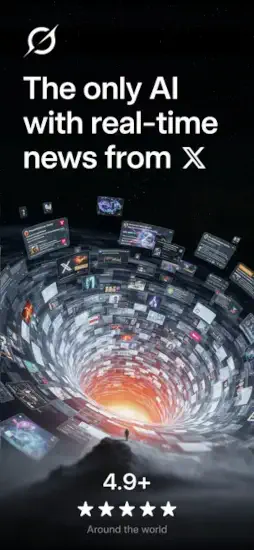
Grok promises something ChatGPT cannot deliver.

Grok gets real time data pulled directly from X. Live awareness of current events as they happen. Voice mode for natural conversation. Image generation for creative visuals. Video creation for animated content. The question is whether this AI assistant from xAI, Elon Musk’s company, is truly better than the alternatives or just another chatbot with a marketing gimmick.
ChatGPT led the way with natural conversation and broad knowledge. Google Gemini added multimodal features including image recognition and generation. Microsoft Copilot integrated with Office apps for productivity. Grok comes from xAI, Elon Musk’s company, with a unique advantage that others lack. Live data from X, the social media platform. No other major AI assistant has this real time integration.
Grok is not just a chatbot that gives you generic answers. It is a real time AI assistant that knows what is happening right now. You ask about trending topics and Grok knows because it pulls live data from X. You generate images and videos from text prompts. You talk with voice mode hands free. Understanding the features helps you decide if it is worth switching from ChatGPT or adding to your AI toolkit.
The app holds a 4.9 star rating on the App Store based on over 1.2 reviews. Size sits around 227 MB depending on cached data. Age range stretches from young adults exploring AI tools to professionals integrating AI into their workflow. If you prefer a more established AI assistant with a larger feature set, ChatGPT offers a different experience.
What Is Grok?
xAI’s mobile AI assistant built for speed and real time awareness. Combines chat, voice, image generation, video generation, and real time X data all in one app. Designed to be fast, conversational, and aware of current events as they unfold.
Who This App Is For
People who want an AI assistant with live context about what is happening now. X users who want integrated AI directly connected to the platform. Content creators who need image and video generation. Anyone curious about the latest AI tools from xAI.
The Real Time Advantage
Unlike ChatGPT which has a knowledge cutoff, Grok pulls live data from X. Ask about trending topics right now. Ask about news from earlier today. Grok knows what is happening at this moment.
Free to Use
Download free. Use free for basic features. Some features may have usage limits. Premium options may exist for higher limits.
Grok 2026: What’s Included in the App
AI Chat
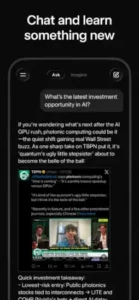
Natural language conversations about anything. Answer questions about facts and opinions. Get help with writing, coding, and brainstorming.
Real Time X Data
Pulls live information directly from X posts. Knows trending topics right now. Understands current events as they happen.
Voice Mode
Speak to Grok naturally without typing. Hands free conversation for multitasking. Fast back and forth interaction.
Image Generation
Create images from text prompts you type. Generate visuals for any concept you imagine.
Video Generation
Create short videos from prompts. Generate animated content for social media.
Image Upload and Analysis
Upload photos from your library. Grok analyzes what you share. Get answers about images.
Deep Search
Research oriented answers that are more thorough. Better for complex topics than standard chat.
Multilingual Support
Works in multiple languages. Fast responses regardless of language.
Grok Real Time X Integration
The Key Differentiator
Grok pulls live data directly from X. This is what sets it apart from ChatGPT and Gemini and Claude. No other major AI assistant has this integration.
Trending Topics
Ask what people are talking about right now at this moment. Grok scans X for current trends. Get up to the minute information.
News and Events
Ask about news from today or this hour. Grok finds recent posts on X. Understands current events as they unfold.
Public Sentiment
Ask how people feel about a topic or event. Grok analyzes X posts for general sentiment. See what the public thinks.
Time Sensitive Questions
“What happened in the stock market today?” “Who won the game last night?” “What did the CEO say in the press conference?” Grok knows.
Source Transparency
Answers are based on public X posts from real people. Not always verified facts. Grok reports what people are saying.
Limitations
X data can be biased or simply incorrect. Grok reports what people are posting, not necessarily the absolute truth. Verify important information.
Grok Chat and Conversation
Natural Language
Talk to Grok like you would talk to a real person. No special commands or formatting needed. Just type or speak naturally.
Follow Up Questions
Ask clarifying questions about previous answers. Grok remembers the conversation context. Build on earlier responses.
Writing Help
Draft emails for work. Write social media posts for your audience. Brainstorm ideas for projects. Edit your existing writing.
Coding Assistance
Explain code you do not understand. Debug errors in your programs. Write functions from scratch. Grok understands multiple programming languages.
Brainstorming
Generate ideas for projects you are working on. Explore concepts you are curious about. Get creative suggestions you would not think of.
Explanations
Ask Grok to explain complex topics in simple terms. Breaks down difficult concepts. Makes hard subjects accessible.
Trivia and Fun
Ask random questions for fun. Get interesting facts you did not know. Play word games.
Grok Voice Mode
How It Works
Speak to Grok naturally as if talking to a friend. The app listens to your words and responds verbally. Hands free interaction without typing. Just talk and get answers.
Fast Back and Forth
Quick conversation without typing anything. Good for when your hands are busy with other tasks. Ask a question, get an answer, ask a follow up. The flow is natural.
Multitasking
Ask questions while driving safely. Ask while cooking dinner. Ask while exercising at the gym. No need to look at the screen or type.
Voice Quality
Natural sounding responses that are pleasant. Not robotic like older voice assistants. Pleasant to listen to for longer conversations.
Multiple Languages
Voice mode works in supported languages. Accent recognition works well. Fast responses in your preferred language.
Response Length
Grok speaks concise answers, not long monologues. Gets to the point quickly. Good for quick information needs.
When to Use
Driving directions without looking at the phone. Quick facts about anything. Setting reminders hands free. Casual conversation when you are busy.
Grok Image and Video Generation
Image Generation
Type a prompt describing what you want to see. Grok generates an image from your words. Fast results. Creative output.
Image Styles
Realistic photos. Artistic paintings. Cartoon illustrations. Abstract art. Specify your preferred style in the prompt.
Image Upload
Take a photo with your camera. Upload it to Grok from your library. Ask questions about the image content. Get analysis and descriptions.
Video Generation
Generate short videos from text prompts. Animated clips based on your description. Creative visuals for social media.
Video Length
Short form videos only. Good for social media posts. Quick loops that capture attention.
Quality
Varies by prompt clarity and specificity. Simple, clear prompts work best. Complex prompts may produce confusing results.
Use Cases
Social media content for your channels. Concept art for creative projects. Visual brainstorming for ideas. Creative projects for fun.
Grok Graphics and Design
Visual Style
Minimal and conversation first throughout the app. Clean interface with no clutter. Welcoming for first time users.
Chat Interface
Simple message bubbles like texting. Your messages on the right side. Grok’s responses on the left side. Easy to follow conversations.
Dark and Light Mode
Support for both themes. Switch based on your preference. Dark mode for night use. Light mode for daytime.
Media Display
Images and videos appear inline within the chat. Easy to view without leaving the conversation. Simple to download.
Voice Indicator
Visual feedback when voice mode is active. Waveform animation shows listening status. Clear when Grok is speaking.
Settings
Simple menus throughout. Easy to adjust preferences. Clear options without confusion.
Performance
Runs on most iPhones from iPhone 8 and newer. Fast responses with no lag. Smooth animations.
Grok Similar Apps
| App | Main Similarity |
|---|---|
| ChatGPT | General AI chat, writing help, and media generation |
| Google Gemini | Multimodal AI assistant with image and voice features |
| Microsoft Copilot | AI chat for productivity and search like help |
| Claude | Long form writing and reasoning support |
| Character.AI | Conversational AI with personality driven chats |
The Differentiation
ChatGPT has the largest user base and most features overall. More mature platform. Google Gemini integrates with Google services. Better for Android users. Microsoft Copilot works inside Office apps. Great for productivity users. Claude excels at long form writing and deep reasoning. Character.AI focuses on personality driven chat with different bots.
Grok stands out for its real time X data integration. No other AI assistant has live social media context.
If you search Grok similar apps, these five appear most often. Each does something differently. Grok does real time social awareness better than anyone.
Grok Free vs Paid and Monetization
Free Version
Basic chat functionality. Voice mode included. Some image generation capability. Limited video generation. Message caps per time period.
Premium Version
Higher limits on everything. More image and video generation. Priority access during peak times. Faster responses.
Message Caps
Free users may have daily or hourly limits. Premium removes or raises those caps significantly.
X Premium Integration
X Premium subscribers may get enhanced Grok access. Check current policy as it changes.
No Ads
No advertisements in either free or paid tier. Clean experience either way.
Value Proposition
Free version is good for casual use. Premium is for heavy creators and frequent users.
Grok Tips and Tricks for 2026
Ask Specific Prompts Instead of Broad Questions for Sharper Answers
“Explain quantum computing to a 10 year old” works much better than “What is quantum computing?” Specificity helps.
Use Voice Mode for Faster Back and Forth Conversation
Speak instead of typing your questions. Quicker interaction overall. Good for multitasking.
Upload Images When You Want the Model to Analyze a Screenshot, Photo, or Visual Problem
Take a picture of a math problem and ask for help. Upload a product and ask for details.
Use Grok for Trending or Time Sensitive Topics Because It Pulls Live X Data
“What are people saying about the election right now?” “What is trending in tech today?”
For Writing Tasks, Break Big Requests into Steps like Outline, Draft, and Polish
First ask for an outline. Then ask for a draft based on the outline. Then ask for polish.
If You Hit Moderation or Message Limits, Shorten the Task and Restart the Conversation
Break long requests into smaller pieces. Start a new chat thread.
Compare Outputs Carefully on Factual Topics, Especially for Research or News
Grok uses X data, which can be wrong or biased. Verify important facts elsewhere.
Use Grok for Brainstorming
Ask for 10 ideas on a topic. Ask for variations on the best ones. Ask for unexpected angles.
Experiment with Prompt Styles
Different wording gets different results. Rephrase if unhappy with output. Try again.
Combine Features
Generate an image. Ask Grok to describe the image. Upload an image and ask for a caption.
Grok Common Issues and Fixes
Moderation Too Strict
Some users find content filters too aggressive. Rephrase your prompt more carefully. Keep content appropriate.
Message Limits
Free version has message caps. Wait for reset. Upgrade to premium for higher limits.
Video Generation Not Working
Check feature availability in your region. Update the app to latest version. Try image generation first.
Slow Responses
Check your internet connection speed. Close other running apps. Restart the Grok app.
X Data Not Always Accurate
Grok reports what people are saying on X. Not verified facts. Double check important information elsewhere.
Voice Not Recognizing
Check microphone permissions in settings. Speak clearly and directly. Reduce background noise.
App Crashes
Update to latest version from App Store. Restart your phone. Reinstall the app.
Image Quality Low
Be more specific in your prompts. Add style descriptions. Try again with different wording.
Conclusion
if you want an AI assistant with real time awareness of current events. Grok is not better than ChatGPT for every possible task. ChatGPT has more features and a larger knowledge base. But for trending topics and current events, Grok has a clear advantage. The voice mode is convenient for hands free use. Image and video generation are solid. The free version is worth trying.
What works: Real time data from X for current awareness. Voice mode for hands free conversation. Image generation and analysis. Video generation for short clips. Clean, simple interface. Fast responses.
What does not: Message limits on free version can be restrictive. Moderation can feel strict compared to others. X data is not always accurate or verified. Video generation may be limited in free tier.
What do you want from an AI assistant? If you want real time awareness of current events and trending topics on social media, Grok delivers. If you want the most mature platform with the largest feature set and broadest knowledge, ChatGPT may fit your needs better.
Frequently Asked Questions About Grok
Is Grok free to use?
Yes. Grok is free to download and use. The free version includes AI chat, voice mode, image generation, and real time data from X. Some features may have usage limits or message caps. Premium options are available for higher limits. You can start your Grok download from the Official App Store.
How is Grok different from ChatGPT?
Grok pulls live data from X in real time. ChatGPT has a knowledge cutoff and does not know current events. Grok can tell you what is trending right now, what people are saying about breaking news, and live public sentiment. ChatGPT cannot. Grok also offers voice mode and video generation.
What can I do with voice mode in Grok?
Speak to Grok naturally without typing. Ask questions hands free while driving, cooking, or exercising. Grok responds verbally with natural sounding speech. The conversation flows back and forth quickly. Good for multitasking and quick information needs.
Does Grok really have real time data from X?
Yes. Grok pulls live information from X posts. Ask about trending topics and it scans current X trends. Ask about breaking news and it finds recent posts. Ask about public sentiment and it analyzes X conversations. This is the main feature that sets Grok apart from other AI assistants.
Where can I find official information and get support if I have issues?
The official xAI website has information about Grok and its features. The Grok Help Center answers common questions about account issues and usage. For technical problems, contact xAI support through their website. Official website: https://x.ai