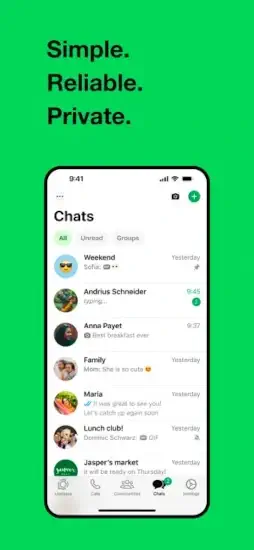
WhatsApp has two billion people that cannot be wrong about a messaging app. Or maybe they can?

The App Everyone Uses and Few Truly Understand
What WhatsApp Actually Is
WhatsApp is a free messaging and calling app developed by WhatsApp Inc. and owned by Meta, the company behind Facebook and Instagram. It works on iPhone, Android, Windows, Mac and the web. You register with a phone number instead of a username and password. Once you are in, you can send texts, photos, videos, voice notes, documents and locations. You can call people over the internet instead of using carrier minutes. You can create group chats, share disappearing Status updates, follow Channels and join Communities.
The app has been downloaded billions of times. On App Store alone, it holds a 4.7 star rating based on roughly 19 million ratings. The download size sits around 378 MB, though this varies by device and region. The age rating is 13+ in some regions and marked for Everyone in others, depending on local classification standards.
Those numbers explain the reach. They do not explain the experience.
The Tension Between Convenience and Privacy
WhatsApp markets itself on privacy. Messages and calls are protected by end to end encryption by default. That means the content of your conversations is scrambled in a way that only you and the person you are talking to can unscramble. WhatsApp says it cannot read your messages and that claim is technically accurate for the content itself.
But encryption protects content. It does not protect everything else.
When you sign up, WhatsApp collects your phone number. It accesses your contacts if you grant permission. It logs your IP address, which reveals your general location and country. It tracks when you are online, how often you use the app, and what kind of device you are using. This information is called metadata and it is not encrypted. It can be linked to your account and used for analytics, personalization and advertising.
What WhatsApp Actually Does Well (And What It Quietly Collects)
The Core Features That Keep Billions Coming Back
WhatsApp’s strength is not any single feature. It is the combination of reliability, reach and simplicity.
Messaging that works everywhere. Text, photos, videos, voice notes, documents, contacts and locations all move through the same chat window. You do not need to switch apps for different file types. You do not need to worry about whether the recipient has the same phone carrier.
End to end encryption by default. Since 2016, personal messages, calls, photos, videos, voice notes and Status updates have been encrypted so only the participants can access them. This is not an opt-in feature you have to hunt for. It is on from the moment you send your first message.
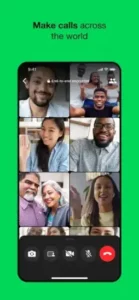
Voice and video calling. WhatsApp calls use your internet connection instead of carrier minutes. Group video calls support up to 32 people. For international families and remote teams, this alone justifies the download.
Group chats and Communities. Families, friend circles, classrooms and work teams all run on WhatsApp groups. Communities take this further by organizing related groups under one umbrella, which is useful for schools, neighborhoods and clubs.
Multi-device access. You can link WhatsApp to your iPad, Mac, Windows PC or browser. Messages sync across devices, so you do not have to keep your phone in hand to stay in the conversation.
Status and Channels. Status lets you share photos, text and videos that disappear after 24 hours. Channels are one way broadcasts where organizations and creators can send updates without exposing follower phone numbers.
Accessibility support. VoiceOver, Voice Control, Larger Text, dark interface and reduced motion options make the app usable for people with different needs.
The Privacy Reality You Should Understand
Encryption protects content, not metadata. WhatsApp cannot read your messages. It can see who you talk to, when you talk to them, how often and from what general location. The company’s privacy label on the App Store lists data that may be collected and linked to you: phone number, contacts, device identifiers, usage data, diagnostics, purchase history and coarse location .
Backups are a separate issue. WhatsApp chat backups stored in Google Drive or iCloud are not encrypted by default. You have to manually enable end to end encrypted backups through Settings, Chats, Chat Backup. If you do not, your message history sits in the cloud in a form that the cloud provider can access.
You can verify encryption. For sensitive conversations, you can compare a QR code or 60 digit security number with the other person. If the numbers match, no one is sitting in the middle of the conversation.
Two step verification matters. Enable it. It adds a PIN and recovery email that protects your account if someone tries to register your phone number on a new device.
How the WhatsApp App Works
You register with a phone number. WhatsApp sends a verification code. Once confirmed, you can add a profile name and photo. The app scans your contacts to find other WhatsApp users, but only if you grant permission.
Messages travel through WhatsApp servers but are encrypted before they leave your device. The keys stay on your device and the recipient’s device. WhatsApp’s servers see encrypted data they cannot read.
Calls work the same way. Voice and video are encrypted end to end using the same protocol that protects messages.
Groups use a slightly different system. When you send a message to a group, your device encrypts it once and distributes it to each member individually. If someone leaves or joins, the encryption keys update to prevent new members from reading old messages.
Status updates and live location sharing follow the same encrypted pattern as group messages.
WhatsApp Tips
You do not need to be a security expert to use WhatsApp well. You just need five minutes and a willingness to open the settings menu you have been ignoring since you installed the app.
Privacy and account safety
Run Privacy Checkup. Open WhatsApp, tap Settings, then Privacy, then Privacy Checkup. This guided walkthrough covers who can contact you, who can see your profile information, how group invitations work and which protections are active on your account. Most people find at least one setting they did not know existed.
Enable two step verification. Go to Settings, Account, Two step verification. Add a six digit PIN and a recovery email. This prevents someone who steals your SIM card or tricks your carrier into transferring your number from registering WhatsApp on their device using your account.
Turn on end to end encrypted backups. Go to Settings, Chats, Chat Backup, End to end encrypted backup. Choose a password or a 64 digit encryption key. Store that credential somewhere safe. If you lose it, WhatsApp cannot restore your backup. But if you do not enable this, your chat history sits in Google Drive or iCloud without that extra layer of protection.
Limit your visibility. Decide who can see your Last Seen, profile photo, About and Status. Decide who can add you to groups. These controls live under Settings, Privacy. Setting them to “My Contacts” instead of “Everyone” cuts down on spam invitations and unwanted attention.
Verify sensitive chats. For conversations that matter, open the contact’s profile and tap Encryption. You will see a QR code and a 60 digit security number. Compare it with the other person through a different channel. If the codes match, no one is sitting between your messages.
Never share your six digit registration code. WhatsApp will never ask for it. Anyone who does is trying to steal your account. This is the most common account takeover method and the easiest one to prevent.
Productivity and communication
Pin priority chats. Long press a conversation and tap the pin icon. Your most important chats stay at the top. Family, work or that one group that actually matters stays visible while the noise falls below.
Mute noisy groups instead of leaving them. Long press the group, tap Mute and choose a duration. You stay in the loop without your phone buzzing every thirty seconds. You can still read messages when you choose to open the chat.
Star messages that contain addresses, booking codes, or meeting links. Long press any message and tap the star icon. Starred messages are searchable and saved in one place under Settings, Starred Messages. This saves you from scrolling through three months of chat history to find a hotel confirmation.
Use disappearing messages selectively. For conversations where you do not need a permanent record, turn on disappearing messages. Go to the contact or group info, tap Disappearing Messages and choose a duration. The setting applies to new messages going forward. Recipients can still screenshot or forward, so this is not a guarantee of deletion. It is a reduction of retention.
Use call links for ad hoc group calls. Instead of adding participants one by one, create a call link and share it. Anyone with the link can join. This works well for recurring team check-ins or spontaneous family calls.
Share live location temporarily. When you are meeting someone or traveling alone, share your live location for a set duration. It stops automatically when the timer ends, or you can stop it manually. This is useful for safety and coordination without permanently exposing where you are.
Use Channels for broadcast updates. If you run a team, a community, or a small business, Channels let you send one way updates to followers without creating a group where everyone can post. Follower phone numbers stay hidden from you and from each other.
WhatsApp tips like these take minutes to apply but change how the app feels day to day. Less noise. More control. Fewer surprises.
WhatsApp Similar Apps
| App | Best For | Key Difference from WhatsApp |
|---|---|---|
| Signal | Privacy first messaging | Stronger privacy reputation, smaller user base |
| Telegram | Large groups, bots, broadcast tools | Cloud chats not encrypted by default |
| iMessage | Apple only communication | Excellent Apple integration, limited cross platform reach |
| Facebook Messenger | Meta ecosystem messaging | Different social and privacy model |
| Viber | International calls and messaging | Smaller reach in many countries |
| Discord | Communities, voice rooms, gaming | Better for server based communities |
| Google Meet | Scheduled video meetings | Less suited to persistent group messaging |
| WhatsApp Business | Customer communication | Business profiles and support workflows |
Signal collects almost nothing beyond what is required to deliver messages. Telegram offers powerful group and channel tools but does not encrypt cloud chats by default. iMessage works beautifully if everyone you know uses an iPhone. Discord is built for communities and voice rooms, not one to one messaging. WhatsApp app remains the middle ground. It reaches more people than any competitor. Its default encryption is stronger than Telegram’s. Its metadata collection is broader than Signal’s.
The choice depends on what you value. If reach matters most, WhatsApp wins. If minimizing data exposure matters most, Signal deserves a serious look.
What Users Say About WhatsApp
The positive reviews focus on reliability and reach. People use WhatsApp for international family calls, group coordination, voice notes and sharing photos without paying carrier fees. The encryption gives peace of mind for everyday conversations.
The negative reviews focus on Meta ownership, metadata collection, spam groups and occasional call failures. Some users report that backup encryption is confusing to enable and that they did not realize their chat history was sitting unencrypted in the cloud until they looked.
The 4.7 star rating from hundreds of millions of ratings shows that most people are satisfied with the core experience. The criticisms are not about whether WhatsApp works. They are about what it collects while it works.
Conclusion
Remember the tension from the beginning. WhatsApp is on billions of phones. Most people who use it could not explain what happens after they hit send. That gap exists because the app works well enough that nobody feels the need to read the fine print.
WhatsApp is an excellent everyday messaging tool. It handles international communication, group coordination, voice notes and media sharing better than almost anything else. The encryption protecting your conversations is real and strong. The privacy label on the App Store is also real. Those two things describe different layers of the same app.
You do not have to delete WhatsApp to take privacy seriously. But you should stop assuming that “encrypted” means “invisible.” The content is locked. The metadata is not.
Open the app. Go to Settings. Run Privacy Checkup. Turn on two step verification. Enable encrypted backups. Five minutes of configuration changes what WhatsApp knows about you and what it cannot touch.
The app is not going anywhere. Your data does not have to follow the same path.
FAQ
Where can I get the WhatsApp download for my phone?
Download WhatsApp from the official Apple App Store.
Is there an official WhatsApp website with feature updates and news?
Yes. Meta maintains an official WhatsApp website with feature announcements, security updates, and company news.
I have an account issue or cannot verify my number. Who do I contact?
For account problems, verification issues, or lost access, contact WhatsApp support directly through the app . The support email is: [Insert developer support email here]. Go to Settings > Help > Contact Us in the app for the fastest response. Include your phone number with country code.
Does WhatsApp work internationally and how much data does it use?
Yes, WhatsApp works anywhere with an internet connection. Calls and messages use data, not your phone plan’s minutes or SMS. A one minute voice call uses about 400 KB. A one minute video call uses about 5 MB. Sending and receiving thousands of messages uses very little data. WiFi is always cheaper than mobile data for calls.