Sensical offers a different way for kids to watch videos.
Sensical remove the fear of giving your phone to your child so they can watch something that is not Kid safe with expert curation, free to use without any subscription, age appropriate content for every stage, no algorithms pushing the next video and no endless rabbit holes that trap attention.
YouTube Kids added parental controls over the years but still had problematic content slip through the cracks repeatedly. Khan Academy Kids focused purely on education with less entertainment. Noggin offered curated shows but required a monthly subscription. Sensical launched as a free, ad-supported option from Common Sense Networks, a nonprofit organization focused on media safety for children.
Sensical in 2026 is not trying to be everything for every family. It is a curated streaming service specifically for children ages 2 to 10. Videos are hand picked by child development experts, not algorithms. Content is organized by age bands and interests that make sense for kids. No algorithmic recommendations pushing endless videos. No endless scrolling through questionable content. Understanding the safety features helps parents decide if it is the right choice for their family’s needs.
Sensical app holds a 4.8 star rating on the App Store. Size sits around 150 MB depending on cached data. Age range stretches from toddlers in preschool to children up to age 10. If you prefer a subscription based service with more educational content, Khan Academy Kids offers a different approach.
What Is Sensical ? A Safe Streaming Alternative for Kids
A free, kid-safe streaming app designed specifically for children. Age appropriate videos organized by age band and interests rather than algorithms. No algorithmic recommendations that lead down rabbit holes. Hand picked content reviewed by child development experts. Designed for children roughly ages 2 to 10 years old.
Who This App Is For
Parents who want a safer alternative to YouTube Kids for their children. Children who need age appropriate entertainment without inappropriate content. Families who want free streaming without hidden costs or subscriptions. Anyone concerned about algorithmic rabbit holes and endless autoplay.
The Organization Behind It
Sensical was launched by Common Sense Networks, a nonprofit organization focused on media safety for children. The content is curated by human experts, not algorithms. This is a significant difference from other platforms.
Free to Use
Completely free with no subscription required. Ad-supported model. No hidden fees. No premium tier.
Sensical 2026: What’s Included in the App
Age Banded Content
Videos organized by specific age groups for appropriateness. Preschool content for ages 2 to 4 with simple concepts. Little kids content for ages 5 to 7 with more complex ideas. Big kids content for ages 8 to 10 with deeper topics. Each age band has content appropriate for that developmental stage.
Hand Picked Videos
Reviewed by child development experts before being added. No algorithms deciding what children see. No automated recommendations. Every video is screened by a human.
Topic Based Browsing
Kids can browse by their interests easily. Animals category for nature lovers. Science category for curious minds. Art category for creative children. Music category for young musicians. Stories category for book lovers. Adventure category for explorers.
Three Live Channels
Age specific live streams for passive viewing. Preschool channel for the youngest viewers. Little kids channel for elementary ages. Big kids channel for older children. Good for times when kids just want to watch without choosing.
ParentZone Dashboard
Parental oversight tools in one place. See what your child watches. Control settings from one screen. Manage multiple profiles.
Learning Reports
Track what your child learns over time. See topics they engage with most. Reports help parents stay informed about viewing habits.
Secure PIN Controls
Parents can lock settings with a PIN. Prevents kids from changing age bands. Keeps parental controls secure.
No Sign Up Option
Quick access without creating an account. Kid safe design from the start. No email required.
Sensical Age Bands and Content Organization
Preschool (Ages 2 to 4)
Very simple content for the youngest viewers. Basic concepts like colors, shapes, and numbers. Short attention span friendly videos. Gentle pacing without rapid cuts.
Little Kids (Ages 5 to 7)
More complex ideas for elementary ages. Early science concepts. Reading basics and phonics. Social skills and emotions. Longer videos than preschool.
Big Kids (Ages 8 to 10)
Deeper topics for older children. History lessons and timelines. Science experiments. Creative projects. Problem solving challenges.
Topic Categories
Animals and nature for biology lovers. Science and discovery for curious minds. Arts and crafts for creative children. Music and dance for performers. Stories and reading for book lovers. Adventure and exploration for travelers.
No Algorithmic Recommendations
Videos are not recommended based on watch history. No endless autoplay pulling kids deeper. Kids choose from curated lists of safe content.
Human Curation
Experts select every video in the library. Child development specialists review content for appropriateness. Quality control is manual, not automated.
Sensical Parental Controls and Safety Features
ParentZone Dashboard
Central control panel for parents to manage everything. Set age preferences for each child. View watch history for each profile. Manage profiles from one screen. The dashboard is the main parent tool.
Learning Reports
Weekly or monthly summaries of viewing activity. See what topics your child watched most. Track learning progress over time. Identify new interests to encourage.
Secure PIN
Four digit PIN required to change any settings. Prevents kids from altering age bands on their own. Keeps parent controls locked and secure.
Profile Management
Create separate profiles for each child in the family. Different age bands for different kids based on their age. Personalized experience for each child.
Watch History
See exactly what your child viewed during each session. Timestamps show when they watched. Video titles are listed. Duration of each viewing session.
Content Filtering
Parents can block specific topics they do not want. Set content preferences for each child. The filters are customizable per profile.
No Algorithmic Tracking
The app does not build profiles based on watch history. No data selling to third parties. Privacy focused design.
Sensical Content Library and Curation
Educational Content
Science experiments that kids can try at home with supervision. Math concepts from counting to multiplication. Reading fundamentals including phonics and comprehension. History lessons about important events and figures. Geography covering countries, cultures, and maps.
Entertainment Content
Animated shows with positive messages and characters. Story readings of classic children’s books. Music videos featuring educational songs. Arts and crafts tutorials for creative projects. Fun learning that does not feel like school.
Expert Review Process
Child development specialists review every video before it is added to the library. Educational value is assessed for each piece of content. Age appropriateness is verified by experts. The review process is rigorous and manual.
Trusted Partners
Content from PBS including beloved shows like Daniel Tiger. Sesame Workshop with classic Muppets characters. Other trusted children’s media producers. High quality sources only.
No User Generated Content
Unlike YouTube Kids, Sensical has no uploads from random users. All content is professionally produced by known studios. No risk of inappropriate videos slipping through.
Limited Library Size
Smaller than YouTube Kids by a large margin. Quality over quantity is the philosophy. Curated selection means less choice but safer choices.
New Content Added
Regular updates to the library happen. Fresh videos are added each month. Outdated content is removed when necessary.
Sensical Graphics and Design
Visual Style
Bright, simple, highly readable interface for young eyes. Clearly aimed at young children who cannot read well yet. Large content tiles that are easy to tap. Easy browsing without frustration.
Kid Friendly Navigation
Big buttons that are easy for small fingers to press. Simple icons that children can understand. No complex menus or hidden options. Kids can navigate independently after a short introduction.
Calm Design
No flashy animations that overstimulate. No overwhelming colors or rapid movement. The design is calm and safe looking. The visual approach is gentle.
Parent Dashboard
Clean, professional interface for adults. Easy to understand reports about viewing habits. Simple controls for settings and profiles.
Live Channels
TV style interface that is familiar to children. Easy for kids to understand without reading. The format is like traditional television.
Accessibility
Large text for any labels or instructions. High contrast between elements on screen. Suitable for young readers and pre readers.
Performance
Runs on most iPhones from iPhone 8 and newer. Smooth streaming without buffering. Fast loading between screens.
Sensical Similar Apps
| App | Main Similarity |
|---|---|
| YouTube Kids | Kids video browsing with parental controls |
| Khan Academy Kids | Educational content for children |
| Noggin | Curated child focused video and learning content |
| PBS Kids Video | Safe, educational kids content |
| Kidoodle.TV | Family friendly streaming with safety controls |
The Differentiation
YouTube Kids has a massive library of content but algorithmic recommendations can lead to problematic videos. Khan Academy Kids focuses purely on education, not entertainment for downtime. Noggin requires a monthly subscription to access. PBS Kids Video is free but has a limited library of shows. Kidoodle.TV offers safety controls but has a smaller library than YouTube Kids.
Sensical stands out for being completely free, ad-supported, and curated by child development experts. No algorithms. No user generated content. Just safe, age appropriate videos.
If you search Sensical similar apps, these five appear most often. Each does something differently. Sensical does safe, curated, free streaming better than most.
Sensical Free vs Paid and Monetization
Free Version
Completely free with no cost to download. No subscription required. No premium tier with locked features. All content accessible to everyone.
Ad Supported
Ads support the free service for everyone. Kid-safe ads only, no inappropriate advertising. Ads are screened for appropriateness.
No Hidden Costs
No in app purchases that surprise parents. No surprises at all. What you see is what you get.
No Sign Up Required
Quick access without creating an account. Kid safe design from the start. No email required.
Value Proposition
Completely free with no reason not to try it. The cost is nothing. The risk is zero.
Geographic Availability
Currently U.S. only according to some reports. Check before relying on the service. International access may be limited.
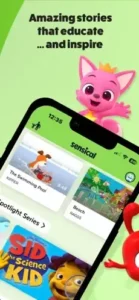
Sensical Tips and Tricks
Set Up Age Profiles Carefully
Choose the right age band for each child in your family. Preschool for ages 2 to 4 with simple content. Little kids for ages 5 to 7 with more complex ideas. Big kids for ages 8 to 10 with deeper topics. Content appropriateness depends on accurate settings.
Use ParentZone and Secure PIN Controls from the Start
Set up the PIN before giving your child the app. Prevents kids from changing age bands on their own. Lock parental controls so settings stay secure.
Explore Content by Topic or Passion to Help Kids Discover Their Interests Faster
Animals, science, art, music categories. Let kids browse by what they already love. Discovery is easier with topic based browsing.
Check the Live Channels if Your Child Prefers Passive Viewing
Some kids like TV style streaming without choosing videos. Live channels run continuously like traditional television. No decision fatigue for young children.
Review the Learning Report Regularly to See What Your Child Is Engaging With
Weekly or monthly summaries of viewing activity. Identify new interests to encourage. See learning patterns over time.
If You Are Outside the U.S., Verify Availability before Relying on the Service
Sensical may be U.S. only currently. Check the app store in your region. Do not rely on it if unavailable.
Use Sensical as a Safe Alternative to General Video Platforms
Not a replacement for all media in your family. A complement to other activities and learning.
Pair It with Offline Activities for a Broader Learning Routine
Watch a science video together. Do a hands on experiment afterward. Combine screen time with real world activities.
Set Time Limits
Even safe content needs reasonable limits. Use screen time settings on your device. Balance is important.
Watch Together Occasionally
Co-viewing builds connection with your child. Talk about what they learned. Ask questions about the content.
Sensical Common Issues and Fixes
Geographic Restriction
Sensical may be U.S. only at this time. Check availability in your region before downloading. Use VPN if necessary to access.
Limited Library
Smaller library than YouTube Kids. Quality over quantity trade off. Accept the limited selection for increased safety.
Ads
Free service has advertisements. Kid safe ads only, not inappropriate. Ads are not intrusive.
No Offline Downloads
Cannot download videos for offline viewing. Internet connection required at all times.
Limited Content for Older Kids
Age band only goes to age 10. Older children may need other options. Not suitable for preteens or teenagers.
App Crashes
Update to the latest version from the App Store. Restart your phone. Reinstall the app.
Missing Progress
Connect to account if available. Check your internet connection. Contact support.
Conclusion:
if you want a free, safe streaming option for young children. Sensical is not a complete replacement for YouTube Kids. The library is much smaller. But it is significantly safer for young children. No algorithms pushing videos. No user generated content from strangers. Human curation by experts. Parent controls that work. And it is completely free. Try it with your child.
What works: Completely free with no subscription or hidden costs. Age appropriate content curated by child development experts. ParentZone dashboard and learning reports for parents. Secure PIN controls to lock settings. No algorithmic rabbit holes or endless autoplay. Kid friendly interface that children can navigate.
What does not: U.S. only availability? Check your region. Smaller library than YouTube Kids. Ads in the free version. No offline downloads for travel. Limited content for children over age 10.
What do you want from a kids streaming app? If you want a free, safe, curated experience with strong parent controls, Sensical delivers exactly that. If you want unlimited content or offline downloads, YouTube Kids may fit your needs better.
Frequently Asked Questions About Sensical
Is Sensical really free to use?
Yes. Sensical is completely free to download and use. No subscription. No premium tier. No hidden fees. The service is supported by kid-safe ads. All content is accessible without paying. You can start your Sensical download from the Official App Store.
What age range is Sensical designed for?
Sensical is designed for children ages 2 to 10. Content is organized into three age bands. Preschool for ages 2 to 4. Little kids for ages 5 to 7. Big kids for ages 8 to 10. Parents can set the appropriate age band for each child profile.
How is Sensical different from YouTube Kids?
Sensical has no user generated content. Every video is hand picked by child development experts. No algorithmic recommendations that lead to rabbit holes. No autoplay to endless videos. Content comes from trusted partners like PBS and Sesame Workshop. YouTube Kids has a massive library but problematic content can slip through.
Does Sensical have parental controls?
Yes. Sensical includes ParentZone dashboard for parents. Secure PIN controls prevent kids from changing settings. Learning reports show what your child watches. Parents can view watch history and manage profiles. Content filters are customizable.