Picsart sits on your phone right now. You probably downloaded it years ago when you needed to remove a background or add a sticker. Then you forgot about it.
Picsart app crossed 1 billion downloads for a reason. It started as a simple photo editor. Now it is an AI powered creative suite with 25+ AI tools, video editing, and a massive template library. The question is whether you are using it to its full potential or letting it gather digital dust.
Mobile editing exploded after smartphones became cameras. Everyone edits photos now. Canva dominates templates with drag and drop design. Adobe rules professional editing with Photoshop level tools. CapCut leads video editing with viral effects. Picsart sits in the middle, trying to be the all in one tool for everyone. One app that does photos, videos, AI generation, collages, and templates. For casual creators who do not want to learn five different apps, that is the appeal.
Picsart in 2026 is not just a photo editor. It is a creative hub. The January 2026 update added an AI Providers Hub with 20+ models, letting you choose between different AI engines for generation. Smart Crop identifies subjects automatically. Selective Blur gives you portrait mode effects on any photo. The free tier offers plenty. Gold unlocks unlimited AI tools and premium assets. Understanding what is new helps you decide whether to stick with free or finally upgrade.
Picsart app holds a 4.7 star rating on the App Store based on millions of reviews. Size sits around 250 MB depending on assets downloaded. Age range stretches from teenagers making social content to professionals creating marketing materials. If you prefer template based design with less photo editing, Canva offers a different approach.
What Is Picsart, Actually?
The Concept
A free all in one creative suite. Photo editing. Video editing. Collage making. AI generation. Stickers. Templates. Social sharing. One app that tries to replace multiple tools. For casual creators, having everything in one place saves time. For pros, it offers enough to get work done on the go.
Who It Is For
Casual creators editing photos for social media. Influencers making content that needs to look polished. Businesses creating marketing materials without hiring designers. Anyone who wants to edit without learning professional software like Photoshop. The learning curve is shallow. You can make something good in minutes.
Cross Platform
Works on iPhone, iPad, Android, web, and PC. Gold subscription syncs across all platforms. Start an edit on your phone during your commute. Finish on your desktop at work. Pick up on your iPad later. The cloud sync keeps everything together.
Freemium Model
Core features free. Gold subscription unlocks unlimited AI tools, removals, and premium assets. Monthly or yearly options. The free version is generous. You can do a lot without paying.
Picsart in 2026: What’s New
AI Providers Hub
January 2026 update introduced a hub with 20+ AI models. Choose between different AI engines for generation. Some models better for realistic photos. Some better for artistic styles. Some better for removing objects. The hub gives you options instead of one black box that may or may not work for your specific image.
Smart Crop
AI-powered cropping that identifies the subject. Keeps what matters. Removes what does not. Faster than manual cropping when you need to square up a photo for Instagram or crop tight around a product. Works on people, pets, objects.
Selective Blur
Blur backgrounds or specific areas while keeping subjects sharp. Portrait mode effect for any photo, even if your phone does not have portrait mode. Good for product shots where you want the background to fade away.
Remove Tool Upgrades
Object removal improved. Cleaner results. Fewer artifacts. The tool competes with Photoshop’s content-aware fill now. Remove people walking into your shot. Remove power lines. Remove blemishes. The AI fills the space convincingly.
Video Enhancements
New effects and transitions. Better export options. The video editor keeps catching up to CapCut. Still not as deep, but good enough for quick social content.
Picsart Features: What You Actually Use
Photo Editor
Filters, effects, text, stickers, overlays. Blend modes for composites that look like professional Photoshop work. Layers for complex edits where you stack multiple images. Real-time previews so you see changes immediately. The editor handles everything from quick fixes to detailed compositions.
AI Tools
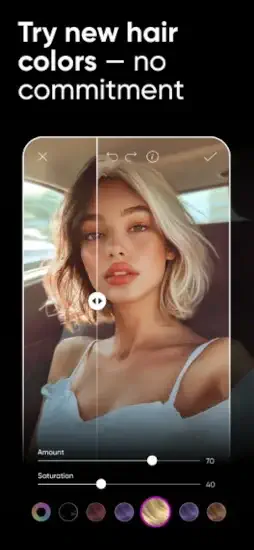
Background remover works in one tap. Object erase removes unwanted people or objects. AI enhance fixes lighting and color automatically. AI replace changes faces, hair color, outfit, or backgrounds by typing a prompt. Avatar generator turns selfies into AI art in styles from anime to realistic. Prompt based generation lets you describe what you want and get images.
Video Editor
Trim clips to length. Add effects and transitions between clips. Add music from your library or their catalog. Add captions that sync to audio. Basic video editing for social media. Not as deep as CapCut but good enough for quick content without switching apps.
Collage Maker
Templates for multiple photos. Grid layouts for traditional collages. Freeform collages where you arrange photos however you want. Good for Instagram stories and posts where you need to show multiple images together.
Templates
Thousands of templates for social posts, stories, flyers, invitations. Customize with your photos and text. Faster than starting from scratch. The templates are designed for current trends so your content looks current.
Stickers and Assets
Millions of stickers, fonts, overlays, and effects. The library is massive. Free users get access to many. Gold unlocks premium assets. You can search by keyword or browse by category.
Picsart Graphics and Design
Interface
Intuitive layered editor. Drag and drop layers. Blend modes for pro effects. Real time previews so you see what you are making. The interface balances beginner simplicity with pro controls. New users can start editing immediately. Experienced users can find advanced tools.
Templates and UI
Vibrant designs. Dark and light modes depending on your preference. The app looks modern and inviting. Templates are colorful and on trend. The UI uses icons and text clearly so you know what each tool does.
Performance
Runs smoothly on most iPhones. Occasional crashes reported but rare on newer devices. Export speeds depend on complexity of edits. Simple edits export instantly. Complex composites with many layers take time.
Learning Curve
Easy for basics. Open a photo, apply a filter, save. Pro features take time to discover. The app hides some tools in menus. Worth spending an afternoon exploring to find everything.
Picsart AI Providers Hub: What It Does
20+ AI Models
January 2026 update added multiple AI engines. Choose between them for different results. Some models better for realistic photos where you want natural edits. Some better for artistic styles where you want creative effects. The hub gives you options instead of one black box that might not work for your specific image.
Background Removal
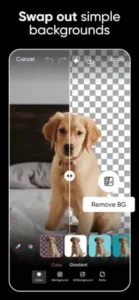
One tap remove backgrounds. Works on people, products, pets. Clean edges around hair and fur. Minimal artifacts that you would have to clean up manually. The AI handles complex backgrounds better than older versions.
Object Removal
Remove unwanted objects from photos. People walking into your shot. Power lines crossing the sky. Blemishes on skin. The AI fills the space convincingly. Sometimes you cannot tell anything was removed.
AI Enhance
Fix lighting, color, and sharpness with one tap. Good for underexposed photos where you cannot see details. Good for washed-out photos where colors look faded. The AI adjusts levels automatically.
AI Replace
Change faces, hair color, clothing, or backgrounds. Type a prompt like “red dress” or “beach background.” The AI generates a replacement. Fun for creative edits. Useful for testing different looks.
Avatar Generator
Upload a selfie. Choose a style (anime, realistic, fantasy). The AI generates avatars in that style. Good for profile pictures across social media. Fun for creating characters.
If you prefer template based design with less photo editing, check out Canva for drag and drop creativity.
Picsart Similar Apps:
You have choices in the creative app space. The App Store lists dozens of editors, each with different strengths. The table below shows where Picsart fits among the competition.
| App | Developer | Key Similarities | Rating |
|---|---|---|---|
| Canva | Canva | Templates, AI design | 4.8 stars |
| Adobe Photoshop Express | Adobe | Layers, filters | 4.6 stars |
| CapCut | ByteDance | Video, AI effects | 4.7 stars |
| Snapseed | Pro photo tools | 4.4 stars | |
| Photoleap | Lightricks | AI photo/video edits | 4.5 stars |
The Differentiation
Canva focuses on templates and design layouts. Better for marketing materials, social posts, presentations. The drag-and-drop interface makes design accessible to non designers. Adobe Photoshop Express offers professional layers and adjustments. Better for serious photographers who want control over every pixel. CapCut leads video editing with advanced effects and transitions.
The app that powers TikTok trends. Snapseed offers professional photo tools without subscription. One-time download, no recurring cost. Photoleap specializes in AI photo and video edits with a clean interface. Lightricks focuses on quality over quantity.
Picsart sits in the middle. Good for photos. Good for video. Good for templates. Good for AI. Jack of all trades, master of none. But for casual creators, having one app that does everything is the point. You do not need to learn Canva for templates, CapCut for video, and Snapseed for photos. One app, one workflow, one subscription if you choose Gold.
If you search Picsart similar apps, these five appear most often. Each does one thing exceptionally well. Picsart does many things well enough.
Picsart Free vs Gold: What You Get
Free Version
Core editor with filters, effects, text, stickers. Basic AI tools with limited uses per day or month. Thousands of templates and stickers available. Collage maker fully functional. Video editing basics with trim and effects. No watermarks on exports. The free version is generous. You can do a lot without paying.
Gold Subscription
Unlimited AI tools. Unlimited background removals. Unlimited object erases. Premium templates and assets exclusive to Gold. Advanced AI models with better results. No ads interrupting your workflow. Cross-platform sync across all your devices. Price ranges $5 to $12 monthly depending on plan, region, and whether you pay annually.
What Gold Unlocks
The free version limits how many times you can use AI tools. Remove five backgrounds and you hit the limit. Object erase ten things and you are done. Gold removes those limits. For heavy creators who edit dozens of photos daily, Gold is worth it. For occasional edits, free is enough.
Free Trial
New users get a trial period, usually 7 to 14 days. Test unlimited AI before subscribing. Cancel within trial to avoid charges. The trial lets you see if you actually need Gold or if the free version covers your needs.
Picsart Tips and Tricks for 2026
Layer Magic
Use blend modes like multiply, screen, overlay for pro composites. Experiment with different modes on the same layer. Multiply darkens. Screen lightens. Overlay adds contrast. The results can look like professional Photoshop work with minimal effort.
AI Replace for Fun
Type prompts to replace faces, backgrounds, or objects. Turn yourself into a fantasy character with armor. Change your outfit color to match a brand. The AI works best with clear, simple prompts. “Red dress” works better than “a flowing red dress with lace trim.”
Batch Edit Collages
Apply effects to entire collages at once. Select all photos in the collage, apply a filter. Saves time when editing multiple photos for social posts where you want consistent looks.
Smart Crop
Let AI identify subjects instead of cropping manually. Crop tight around people, products, or pets. The AI keeps the subject centered and removes dead space. Faster than manual cropping for batch edits.
Selective Blur
Blur backgrounds while keeping subjects sharp. Good for photos taken on phones without portrait mode. Good for product shots where you want the item to stand out. The blur looks natural.
Use Templates
Start from templates instead of blank canvas. Choose a template that matches the aspect ratio you need. Customize with your photos and text. Saves time for social posts where you are making similar content repeatedly.
Save Custom Presets
Create your own filter presets. Adjust brightness, contrast, saturation, and effects. Save the preset. Apply to multiple photos for consistent look across a campaign or feed.
Undo History
The app keeps undo history for your session. Step back through multiple edits if you change your mind. The undo button works multiple times. Not just one step.
Shortcuts
Double tap to zoom in on details. Swipe with two fingers to undo. Learn the gestures for faster editing. The shortcuts speed up workflow significantly.
Export Settings
Choose resolution before exporting. Higher resolution for print where detail matters. Lower resolution for social media where file size matters. The export screen shows estimated file size.
Search Picsart tips and you will find creators who have mastered these tricks. The difference between amateur and professional often comes down to using blend modes and presets.
Picsart Common Issues and Fixes
Subscription Billing Glitches
Some users report unexpected charges or double billing. The issue appears in app reviews regularly. Contact support immediately with receipts. Keep Apple receipt emails. The support team usually resolves within days.
Occasional Crashes
Complex edits with many layers can cause crashes. The app memory limits. Save progress regularly. Update app to latest version. Restart phone if persistent.
Slow Export
Large files or complex edits take time to process. Be patient. Export in background while doing something else. The app continues processing even if you switch away.
AI Inconsistency
AI results vary across images. Some models work better for certain types of images. Try different AI providers in the hub for best results. Portrait model for faces. Object model for products. Background model for landscapes.
Gold Not Syncing
Sign out and back in. Check account settings to confirm Gold status. Contact support if persists. The sync usually resolves within hours.
Picsart Community and Social Features
Remix Contests
In-app contests where creators remix templates or themes. Win prizes. Get featured in the app. The contests keep the community engaged. New themes weekly.
Creations Library
Browse 60+ million creations from other users. Remix them for your own use. Get inspiration for your next project. The library is searchable by keyword and style.
Challenges
Regular themed challenges. Participate for fun or recognition. Challenges often tie to current trends. Good way to practice new techniques.
Hashtag Feeds
Search hashtags to discover content. Follow trends as they emerge. See what other creators are making. The hashtag system works like social media.
Sharing
Export directly to TikTok, Instagram, or other platforms. The app integrates with social media. No saving to camera roll then switching apps.
150M Creators
The community is massive. Trends start here. New styles emerge constantly. Being part of the community keeps your content current.
Conclusion: Should You Use Picsart?
The honest answer is yes, especially if you are a casual creator. Picsart does everything: photos, videos, AI, templates. The free version is generous. Gold is worth it for heavy users. The January 2026 AI updates keep it competitive with newer apps.
What works: All in one for photos, video, and AI. Generous free tier with no watermarks. Massive template and sticker library. AI tools work well for most everyday edits. Cross-platform sync across devices. Regular updates with new features. No watermarks on free exports.
What does not: Subscription billing glitches reported by many users. Occasional crashes on complex edits. Gold pricing adds up to $60 to $140 yearly. AI results inconsistent across different image types. Video editing less powerful than CapCut for advanced projects.
What do you want from a creative app? If you want one app that does photos, video, and AI edits without learning multiple tools, Picsart delivers. If you specialize in just one area, Canva for templates or CapCut for video might fit better.
If you prefer template based design with less photo editing, check out Canva for drag and drop creativity.
Frequently Asked Questions About Picsart
Is Picsart really free, or do I need to pay to get useful features?
Picsart is free to download and use for basic editing. The free version includes the core photo editor, thousands of templates and stickers, collage maker, and basic video editing. No watermarks on exports. The main limitation is that AI tools like background removal, object erase, and AI replace have daily or monthly usage caps. Gold removes those caps and adds premium assets. For occasional edits, free is plenty. For daily creators, Gold is worth it. You can start your Picsart download from the App Store.
What is the AI Providers Hub in the January 2026 update?
The AI Providers Hub added 20+ AI models to choose from. Instead of one black box AI, you can pick different engines for different tasks. Some models work better for realistic photo edits. Others excel at artistic styles or object removal. The hub gives you control to get the best result for your specific image.
Can I use Picsart for video editing, or is it just for photos?
Picsart handles both. The video editor lets you trim clips, add effects and transitions, add music, and add captions. It is not as deep as CapCut for advanced video effects, but it is more than enough for quick social media content. Many creators use Picsart for photos and CapCut for video. But for one-stop editing, Picsart covers both.
How do I remove a background from a photo?
Open the image, tap the background removal tool (usually under AI tools or cutout), and the AI removes the background in one tap. Works on people, products, and pets. Clean edges around hair and fur. Gold users get unlimited removals. Free users have a limited number per day or month.
Where can I find official information and get support if I have billing issues?
The official Picsart website has documentation and tutorials. The support center answers common questions. For billing glitches, which are the most common complaint, contact support directly with your Apple receipt. Official website: https://picsart.com and PicsArt Wiki page.