
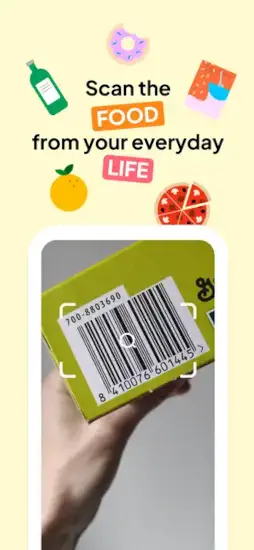
Open Food Facts offers a different way to read food labels.

You stand in the grocery aisle trying to make a decision. Two products sit side by side. Similar price. Similar packaging. One looks healthier at first glance. But the ingredient label is a wall of words you cannot pronounce with strange chemical names. Open Food Facts promises to fix that problem with a simple scan. Scan the barcode on your phone. See the Nutri Score instantly. Check the NOVA processing level to know if it is ultra processed. Find out about carbon impact on the environment. The question is whether this free, community driven app is actually reliable or just another tool with an incomplete database that leaves you frustrated.
Food scanning apps exploded as people became more conscious about what they put in their bodies. Yuka offered simple color coded scores that are easy to understand. MyFitnessPal focused on calorie tracking for weight management. Open Food Facts took a completely different approach from both. A collaborative open database built by users from all over the world. Anyone can contribute missing products. Anyone can use the data for free. No company owns the information.
Open Food Facts is not just a scanner that gives you a score. It is a global food transparency project with a mission. You scan a product barcode. You see the Nutri Score from A to E. You see the NOVA classification for processed foods. You see carbon impact estimates. You can even add missing products yourself to help the community. Understanding the app helps you make informed choices at the grocery store.
Open Food Facts app holds a 4..4 star rating on the App Store s. Size sits around 150 MB depending on downloaded database. Age range stretches from young adults learning about nutrition to older shoppers managing dietary restrictions. If you prefer a simpler food scanner with a single color coded score, Yuka offers an alternative.
What Is Open Food Facts, Actually?
A barcode scanning nutrition app that helps you understand food products. Identify what you are buying. Check labels for concerning ingredients. Compare different products against each other. Uses a collaborative open database built by users worldwide. Completely free with no ads and no subscription.
Who This App Is For
Shoppers who want to understand what is really in their food. People with dietary restrictions or food allergies. Anyone concerned about ultra processed foods. Those who want to see the carbon impact of the products they buy.
The Mission
“Made by everyone, for everyone” is their guiding principle. Crowdsourced food database that belongs to the public. Open source code that anyone can inspect. Free to use and free to contribute.
Free to Use
Completely free with no cost to download. No ads anywhere in the app. No subscription required. Supported by donations and volunteer contributors.
Open Food Facts 2026: What’s Included in the App
Barcode Scanning
Scan any food product barcode quickly. Instantly retrieve product data from the global database. Works with most products in most countries.
Nutri Score
European nutrition rating system from A to E. A is dark green and best. E is red and worst. Based on sugar, saturated fat, salt, fiber, and protein.
NOVA Classification
Ultra processed food indicator with four groups. Group 1 is unprocessed natural foods. Group 2 is culinary ingredients. Group 3 is processed foods. Group 4 is ultra processed industrial products.
Carbon Impact
Environmental footprint information for products. Shows approximate carbon emissions from production and transport. Helps you choose eco friendly options.
Allergen Info
Lists common allergens found in the product. Milk, eggs, fish, shellfish, tree nuts, peanuts, wheat, soy, sesame, gluten, and more.
Product Comparison
Scan multiple products and compare them side by side. See which one has better Nutri Score. See which one has lower carbon impact.
Offline Scanning
Works without internet after the database is downloaded to your device. Good for stores with poor cellular reception or basements.
Contribution Tools
Add missing products to the database yourself. Takes under one minute per product. Your contribution helps everyone who scans that product later.
Open API
Developers can access the database for free. Other apps use Open Food Facts data. Researchers use it for nutrition studies.
Open Food Facts Nutri Score: Understanding Food Quality at a Glance
What Is Nutri Score
European front of pack nutrition label used across many countries. Rounds from A in dark green meaning best, down to E in red meaning worst. Based on a balance of positive and negative nutrients.
How It Is Calculated
Negative points are added for calories, sugar, saturated fat, and sodium. Positive points are added for fiber, protein, fruits, vegetables, and nuts. The final score determines the letter grade.
A Score
Dark green color. Best nutritional quality available. High in fiber and protein. Low in sugar, saturated fat, and salt.
B Score
Light green color. Good nutritional quality overall. May have slightly higher sugar or fat than A.
C Score
Yellow color. Moderate nutritional quality. Consider alternatives with better scores.
D Score
Orange color. Poor nutritional quality. High in sugar, saturated fat, or salt.
E Score
Red color. Lowest nutritional quality. Avoid if possible.
Limitations to Know
Nutri Score compares products within the same category. A soda cannot score A because all sodas are bad. A salad cannot score E because all salads are good. Use it to compare similar products like two yogurts or two cereals.
Open Food Facts NOVA Classification: Spotting Ultra Processed Foods
What Is NOVA
Food classification system by degree of processing. Four groups from completely unprocessed to ultra processed industrial products.
Group 1 Unprocessed
Natural foods directly from plants or animals with no processing. Fresh fruits and vegetables. Eggs and milk. Fresh meat and fish.
Group 2 Culinary Ingredients
Processed but not meant to be eaten alone. Salt for seasoning. Sugar for sweetening. Oils and butter for cooking. Vinegar for preserving.
Group 3 Processed
Foods made from group 1 with group 2 ingredients added. Canned vegetables preserved in salt water. Cheese made from milk. Bread baked from flour. Cured meats like ham.
Group 4 Ultra Processed
Industrial formulations with little whole food. Soft drinks and sodas. Packaged snacks and chips. Frozen meals and pizzas. Sweetened breakfast cereals. Processed meats like hot dogs.
Why It Matters
Ultra processed foods are linked to obesity, heart disease, type 2 diabetes, and other health issues. NOVA helps you identify them quickly.
Open Food Facts Display
Scan any product in the app. The app shows which NOVA group the product belongs to. Quick way to spot ultra processed foods without reading the ingredient list.
Open Food Facts Carbon Impact and Environmental Info
What Is Carbon Impact
Estimated carbon footprint of the product from production to shelf. Measured in CO2 equivalents. Based on production methods, packaging materials, and transportation distance.
How It Is Calculated
Data comes from environmental databases. Product weight matters. Packaging materials matter. Transport distance from factory to store matters. Ingredient sourcing matters.
Display
Simple icon shows approximate carbon impact level. Lower is better for the environment. Helps you choose eco friendly options.
Limitations
Not available for all products in the database yet. Community contributed estimates, not exact measurements. Use as a general guide.
Compare Products
Scan two similar products like two brands of orange juice. Compare their carbon impact side by side. Choose the lower one.
Sustainability Focus
Open Food Facts also tracks packaging information. Recyclability of materials. Palm oil content detection.
Open Food Facts Allergen and Ingredient Analysis
Allergen Detection
The app highlights common allergens in the ingredient list. Milk, eggs, fish, shellfish, tree nuts, peanuts, wheat, soy, sesame. Also gluten, lupin, molluscs, mustard, and celery.
How It Works
The database contains full ingredient lists. The app scans for allergen keywords automatically. Highlights them in the results screen.
Traces Warning
“May contain” warnings are shown when available. For people with severe allergies, these warnings matter significantly.
Additives
Food additives are listed with their E numbers. Some apps show risk levels for each additive.
Palm Oil
Detects palm oil and its many derivatives in ingredients. Useful for environmental concerns or dietary restrictions.
Vegan and Vegetarian
Shows whether the product is suitable for vegans or vegetarians. Based on automated ingredient analysis.
Open Food Facts Similar Apps
You have choices in the food scanner space. The App Store lists several options, each with different strengths. The table below shows where Open Food Facts fits among the competition.
| App | Main Similarity |
|---|---|
| Yuka | Food and cosmetic scanner with color coded scores |
| MyFitnessPal | Calorie tracking and food database |
| Fooducate | Food grading and healthier alternatives |
| ShopWell | Personalized food recommendations |
| Sift Food Scanner | Additive and ingredient analysis |
The Differentiation
Yuka has a simpler color coded score from green to red but less transparency about how calculations work. MyFitnessPal focuses on calories and macros for weight management, not food quality. Fooducate grades food with letter grades but has a smaller database than Open Food Facts. ShopWell gives personalized recommendations based on your health goals. Sift Food Scanner focuses specifically on additives and preservatives.
Open Food Facts stands out for being completely open source and community driven. The database is free for anyone to use. No ads. No subscription. No company controlling the data.
If you search Open Food Facts similar apps, these five appear most often. Each does something differently. Open Food Facts does transparent, community driven food data better than anyone.
Open Food Facts Community and Open Data
Crowdsourced Database
Products are added and edited by users from around the world. Over 3 million products in the database currently. Growing daily as more people contribute.
Anyone Can Contribute
Scan a missing product you find in the store. Take photos of the front, back, and ingredient label. Enter the nutrition facts manually. Your contribution helps everyone who scans that product later.
Open API
Developers can access the entire database for free. Other apps use Open Food Facts data. Researchers use it for nutrition studies. The data belongs to the public.
Open Source
The app code is open source and available on GitHub. Anyone can inspect it for privacy concerns. Anyone can suggest improvements or bug fixes.
No Profit Motive
Run by a nonprofit organization, not a corporation. No ads anywhere. No subscription fees. No selling your personal data.
Global Community
Volunteers translate the app into dozens of languages. Volunteers add products. Volunteers moderate contributions for accuracy.
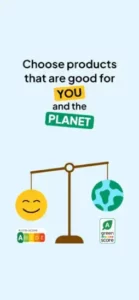
Open Food Facts Product Comparison Feature
How to Compare
Scan a product as usual. Tap the compare button. Scan a second product. The app shows them side by side.
What You See
Nutri Score letters from A to E. NOVA groups 1 to 4. Carbon impact estimates. Calories per 100g. Sugar, fat, saturated fat, and salt content.
Side by Side Layout
Easy to see which product is better at a glance. Green A versus red E. Group 1 versus Group 4. The better choice is obvious.
Decision Help
Use comparison to choose between similar products. Two yogurts from different brands. Two breakfast cereals. Two snack bars.
Save Comparisons
You can save products to a list for later. Compare them at home without rushing in the store.
Offline Comparisons
Works offline if both products are already in your downloaded database.
Contribution and Adding Products
Why Contribute
The database only works if people add products. Missing products help no one. Your contribution makes the app better for everyone.
How to Add a Product
Scan a barcode that is not in the database. The app prompts you to add it. Take photos of the front, back, and ingredient list. Enter the nutrition facts. Submit.
Time Required
Under one minute per product once you learn the process. Faster with practice.
What You Need
The product package in your hands. Nutrition label visible. Ingredient list readable. Clear photos without glare.
Moderation
Contributions are reviewed by volunteer moderators. Inaccurate entries may be corrected or removed.
Rewards
Contributors earn points for adding products. Leaderboards show top contributors. Some apps gamify contribution.
Impact
Your contribution helps everyone who scans that product later. One minute of your time helps thousands of people.
Open Food Facts Offline Mode
How It Works
Download the product database while on Wi Fi at home. The app stores it on your device locally. Scan products without any internet connection.
When to Use
Stores with poor cellular reception in basements. Rural grocery stores with weak signal. Traveling abroad without data roaming.
Database Size
A few hundred megabytes total. Depends on how many products you choose to download. You can select specific categories.
Update Frequency
Download the updated database periodically. New products are added every day. Old product data gets corrected.
Offline Limitations
Cannot add new products while offline. Cannot see the newest entries added by others. Use online mode for contributions.
Setup
Go to settings in the app. Tap offline database. Select categories or regions. Wait for download to complete.
Open Food Facts Tips and Tricks
Scan Multiple Products and Compare Them Side by Side
Do not just scan one product and stop. Compare two or three similar products. Choose the best among them.
Use Nutri Score and NOVA Together
A product can have a decent Nutri Score of B or C but still be ultra processed in Group 4. Use both scores together for the full picture.
Add Missing Products When You Can
Community contributions improve the app for everyone. Takes one minute. Your contribution helps strangers.
Check Allergen Information
If you have food allergies, always check the allergen section. “May contain” warnings matter for severe allergies.
Use Offline Mode in Poor Signal Stores
Download the database before you go shopping. Basement grocery stores often have no signal.
Customize Your Preferences
Set your dietary preferences in settings. The app highlights relevant information for your needs.
Scan Products You Buy Regularly
Learn which of your staple products are healthy. Find better alternatives for the unhealthy ones.
Check Carbon Impact
If you care about the environment, use carbon impact to choose lower footprint options.
Read Ingredients, Not Just Scores
Scores are useful summaries. Ingredients tell the full story. Read them for important details.
Report Incorrect Data
If you find a mistake in a product entry, report it. Help keep the database accurate for everyone.
Open Food Facts Common Issues and Fixes
Product Not Found
The database may not have that product yet. Add it yourself. Takes under one minute.
Scan Not Working
Check camera focus. Clean the lens with a soft cloth. Ensure good lighting. Move barcode into the center of the frame.
Inaccurate Information
Community contributed data may have errors. Report incorrect entries through the app.
Missing Nutrition Facts
Some products do not have full nutrition data entered yet. You can add it yourself.
Slow Scan
Restart the app. Clear camera cache in settings. Update the app to the latest version.
Offline Database Not Updating
Check your Wi Fi connection. Restart the download. Be patient, it can take time.
App Crashes
Update to the latest version from the App Store. Restart your phone. Reinstall the app.
Comparison Not Working
Ensure both products are fully loaded. Try scanning them again. Restart the app.
Conclusion
if you want to understand what is really in your food. Open Food Facts is not the prettiest app on the App Store. The database has gaps in some regions. But it is free, open, and honest about its limitations. Nutri Score, NOVA classification, carbon impact, and allergen info are all genuinely useful. The community driven model means it gets better over time as more people contribute. And you can help by adding missing products.
What works: Completely free with no ads or subscriptions. Nutri Score from A to E for quick nutrition quality. NOVA classification for ultra processed foods. Carbon impact information for eco conscious shoppers. Allergen detection for people with dietary restrictions. Offline scanning for poor signal stores. Community driven database that anyone can improve.
What does not: Database has missing products, especially outside Europe. Some entries have incomplete nutrition information. Interface is functional, not beautiful. Scanning speed varies by camera quality. Some products lack carbon impact data.
What do you want from a food scanner? If you want transparent, open source, community driven nutrition information that you can trust and contribute to, Open Food Facts delivers. If you want a simpler, more polished experience with guaranteed data coverage, Yuka may fit your needs better.
FAQ
From were i download Open Food Facts app and it`s free?
Yes, there is a free mobile app. You can download Open Food Facts from the official apple store.
Where can I see the full database before I decide to install anything?
You can browse the entire collection on the official website without signing up. Visit: Official Open Food Facts Website.