
Google Translate is a practical app where you break down language barriers.


Google Translate free cross platform app lets you translate text, speech, images, documents, and even live conversations across more than 100 languages, with offline support and new AI-powered features for contextual and live translation. Since launching in 2006, it has grown into one of the most widely used translation services worldwide. It brings camera, voice, and text translation plus language learning tools into a simple, mobile-friendly interface. And it starts with a free download.
What Exactly Is Google Translate?
Google Translate is a free translation service launched by Google in 2006 that has grown into one of the most widely used translation services worldwide, available on the web and as apps for Android and iOS. It supports over 100 languages for text translation, with subsets for camera, voice, conversation, and offline modes, making it useful for travel, study, work, and everyday communication.
On iOS, the app lets you type, speak, photograph, or handwrite words and phrases, and see translations in real time, with options to save phrases and sync them across devices. Think of it as your personal interpreter that fits in your pocket.
Google Translate holds a 4.3 star rating on the Apple App Store with large numbers of reviews across iPhone and iPad versions. The app size is roughly 302 MB depending on your device. Age rating is 4+ with no objectionable content. For a similar experience, check out Microsoft Translator.
Who Benefits Most From Using Google Translate?
Google Translate has a broad audience, and it serves them well.
Travelers needing quick translations of signs, menus, and directions will find the camera and offline features invaluable. No more guessing what a menu item means.
Students learning new languages or studying abroad will appreciate the voice and conversation modes. Practice speaking. Get instant feedback.
Professionals working with international clients or documents will use the text and document translation features. Communicate clearly across languages.
Anyone communicating with people who speak different languages will find the conversation mode helpful. Have a bilingual dialogue without a human interpreter.
Users who want to understand content in foreign languages will use the camera and web translation features. Read articles, websites, and documents in your own language.
Core Features That Define Google Translate
Text Translation Across 108 Languages
Translate text between 108 languages by typing. Copy text in any app and use Tap to Translate on Android or app-switching on iOS to translate quickly.
Offline Translation With Downloadable Language Packs
Download language packs to translate without an internet connection. 59+ languages are supported offline in the mobile apps, with more being added over time.
Camera and Image Translation (Lens Integration)
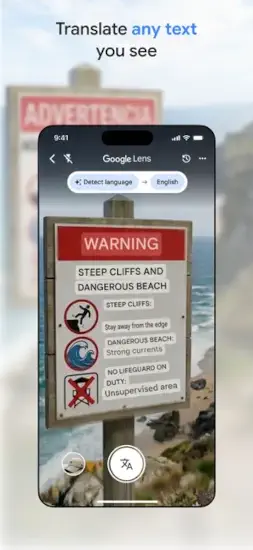
Point your camera at signs, menus, or documents to instantly translate what you see into your chosen language. 94 languages for instant camera, 90 for photo imports. AI-powered image translation blends translated text into complex images to look more natural.
Voice and Conversation Translation
Speak into the app to translate spoken phrases. Bilingual conversation mode lets two people talk in different languages with on-screen translations in about 70 languages.
Live Translate for Real-Time Conversations
New Live translate mode uses advanced AI to manage real-time back-and-forth conversations with audio and transcripts, handling pauses, accents, and noisy environments. Available first in the U.S., India, and Mexico.
Transcribe Mode for Continuous Speech Translation
Continuous speech-to-text translation for long monologues like lectures and talks in near real-time for 8 languages. Useful in conferences or classes.
Handwriting Translation for Non-Latin Scripts
Draw characters and words, for example, non-Latin scripts, Chinese, Japanese, instead of typing. Supported in 96 languages.
Phrasebook and Cross Device Sync
Star and save translations to a phrasebook. Access them from mobile and desktop when signed into your Google account.
Document and Web Translation
Upload documents and translate them while keeping formatting. Enter URLs to translate entire web pages through the web version.
AI-Powered Context and Language Learning Features
New contextual translation options provide multiple senses of a word with example sentences, helping you choose the right phrase, like “bass” fish versus “bass” instrument. Experimental language practice feature creates personalized listening and speaking scenarios tailored to your goals and level, initially for English to Spanish, French, and Portuguese combinations.
Google Translate Graphics and Design
The Google Translate app features a clean, card-based interface with large text input areas, language selectors, and big buttons for modes like camera, conversation, transcribe, and practice. A recent redesign provides a larger canvas for typing, more accessible entry points for camera and conversations, new gestures like swiping down to access recent translations and holding language buttons to quickly switch, and dynamic fonts that adjust for readability as you type.
On iOS, the app adopts familiar Google design elements, simple icons, clear language labels, and consistent color cues, making it easy for most users to navigate without training.
How Google Translate Works
The daily flow is straightforward. Open the app and select your source and target languages. Choose from over 100 options.
Type, speak, photograph, or handwrite words and phrases. Use the input method that works best for your situation.
View translations in real time with options to save phrases. Star important translations. Build your phrasebook.
Use conversation mode for bilingual dialogue. Two people speak different languages. The app translates in real time.
Access saved phrases from your phrasebook across devices. Sign in with your Google account. Your translations follow you.
What Users Actually Say about Google Translate app
Positive feedback includes users calling it one of their favorite free apps, praising its user-friendly experience and continuous improvements. Many say it significantly helped them improve their English or another language, especially with picture scanning and easy access to translations. People appreciate the ability to scan whole pages and auto-translate or tap words in images to translate them.
Criticisms and issues mentioned include some users noting that certain features, like choosing a single word from a scanned page or sending translations directly to messaging apps, disappeared or changed after updates. Accuracy can occasionally be off, especially for longer sentences or nuanced English-Chinese, leading users to double-check meanings. A few comments mention slowdowns or stuck behavior when history accumulates, recommending reinstalling or clearing data to improve performance.
Broadly, reviewers consider Google Translate quick, easy to use, and extremely helpful, while acknowledging that it is not perfect and sometimes outputs amusing or incorrect translations.

Tips to Get the Most From Google Translate
You could just type words and get translations. But a few Google Translate tips will help you communicate more effectively and get more from the app.
Download offline languages before travel for translation without data. Pre-download the languages you need. Translate text and signs even without cell service. Essential for international travel.
Use camera and Lens for menus and signs for faster, more accurate translation. Point your camera at menus, street signs, or packaging. Faster than typing. Reduces errors, especially for non-Latin scripts.
Save a phrasebook of essentials like greetings and directions. Star key phrases. Greetings, directions, emergency statements. Reuse them quickly during trips or conversations.
Take advantage of contextual suggestions for natural wording. When available, check alternate translations and example sentences. Pick the most natural or situation-appropriate wording.
Try Live translate for smoother conversations in supported regions. Use Live translate for back-and-forth conversations with audio and transcripts. Works well in noisy places like airports or cafes.
Use practice feature for language learning in supported combinations. If you are learning English, Spanish, French, or Portuguese, use the practice mode. Build listening and speaking skills with tailored scenarios.
Clear history or reinstall if performance drops. If the app feels slow or stuck, clearing data or reinstalling can help. Some users report improvements after doing so.
Apps Like Google Translate
If Google Translate does not fit your needs or you want to compare options, you have alternatives. The best Google Translate similar apps share the same focus on translation accuracy, offline support, and cross-platform availability.
| App / Service | Main Similarity |
|---|---|
| Apple Translate | Built-in iOS translator with conversation mode and offline support |
| Microsoft Translator | Voice, text, and image translation with cross-platform apps |
| DeepL | High quality text translation, especially for European languages |
| iTranslate | Popular translation app with voice and offline packs |
None of these replace Google Translate exactly. Each has strengths. Apple Translate offers deep iOS integration and strong privacy. Microsoft Translator supports more languages for conversation mode. DeepL provides higher-quality translations for European languages. iTranslate has a polished interface and useful features.
For most users, Google Translate strikes the best balance between language coverage, input modes, and free features. The camera translation, offline packs, and AI-powered contextual suggestions make it a default choice.
If you are on an iPhone, Apple Translate is a solid alternative with strong privacy protections. If you need higher-quality European language translations, DeepL is worth trying. If you want a polished paid option, iTranslate delivers.
Conclusion
Google Translate has evolved from a simple text translator into a Swiss-army-knife communication and language-learning tool. It is not perfect, but for most people, it is the most useful translation app available.
The strongest angle is versatility. The app handles text, voice, camera, handwriting, and conversations. It works offline. It syncs across devices. It helps you learn languages. It is free. The AI-powered contextual and live translation features keep getting better.
Who should download it? Travelers needing quick translations of signs, menus, and directions. Students learning new languages or studying abroad. Professionals working with international clients or documents. Anyone communicating with people who speak different languages. Users who want to understand content in foreign languages.
Who should skip it? People who need perfect human-level translation accuracy for critical documents. Those who prefer a paid service with stronger privacy protections. Anyone who does not travel or communicate across languages. If you never need translation, you do not need this app.
Google Translate is not trying to be a perfect human translator. It is trying to be the most helpful translation tool. And for billions of people, it is. Download it. Translate a sign. Have a conversation. Learn a phrase. Break down a language barrier. That is the loop. That is the translate.
FAQ
Where can I get Google Translate download for my phone?
You can get Google Translate download from the Official App Store..
Is there an official website or help page where I can learn more about features and language availability?
Yes. The official Google Translate website is here: Official Google Translate Website Link.
How many languages does Google Translate support, and which ones work offline?
Google Translate supports over 100 languages for text translation. Offline translation is available for 59+ languages, including Spanish, French, German, Japanese, Chinese, and Arabic. Download language packs before travel to translate without internet.
Is Google Translate accurate enough for professional or academic use?
Google Translate is excellent for everyday communication, travel, and understanding foreign content. For professional or academic documents, use it as a helpful starting point, but always have a human translator review critical content. Accuracy varies by language pair and context.