
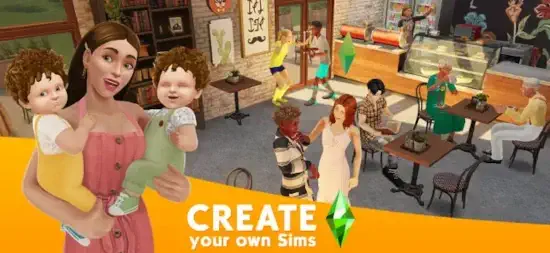
The Sims FreePlay brings the building homes, creating characters, ruining their lives for fun, removing the pool ladder experience to mobile. But with a twist. Real time progression. Timers on everything.

The Sims FreePlay captures the magic of the PC games or just frustrates you with waiting?
Life simulation games exploded after The Sims proved people love controlling virtual lives. The Sims Mobile offered a similar experience with different mechanics focused on individual Sims. Animal Crossing: Pocket Camp focused on cozy customization with animal villagers. Avakin Life emphasized social chat and avatar fashion. The Sims FreePlay stayed true to the original formula with real-time progression and town building.
The Sims FreePlay in 2026 is not a fast paced game. It is a long term life simulator. You build homes from the ground up. You create Sims with unique looks and personalities. You guide their careers, relationships, and families. You grow a town over weeks and months of consistent play. Understanding the mechanics helps you enjoy the slow burn instead of getting frustrated by timers.
The Sims FreePlay game holds a 4.6 star rating on the App Store based on over 500,000 reviews. Size sits around 2 GB depending on downloaded assets. Age range stretches from young adults who grew up with The Sims to older players who enjoy creative building. If you prefer a newer Sims experience with different mechanics, The Sims Mobile offers a similar life simulation
What Is The Sims FreePlay ?
A life simulation game for mobile devices. Create and customize Sims from head to toe with many options. Build and decorate dream homes with furniture and decorations. Guide Sims through careers, relationships, marriage, and family life. Grow a town with shops, community lots, and special buildings. All in real time.
Who It Is For
Players who enjoy open-ended simulation and home building without strict goals. People who liked The Sims on PC but want a mobile version they can play anywhere. Anyone who enjoys creating characters and designing spaces as a creative outlet.
Real-Time System
Actions take real minutes or hours to complete. Cooking takes a few minutes. Working a full shift takes 4 to 12 hours. Building a new room takes 12 hours or more. The game continues when you are offline. Sims finish tasks while you sleep or work.
Free to Play
Download free. Play free. Monetization comes from premium currency and time skips. Free players can enjoy everything the game offers but need patience. Paid players skip waiting.
The Sims FreePlay on 2026 : What’s New
Town Expansion
New lots and buildings added regularly. More space for building homes. More community buildings for Sims to visit. The town keeps growing with each update.
New Hobbies and Careers
Additional hobbies added over time for Sims to learn. New career paths for different types of Sims. More ways for Sims to earn currency and progress.
Seasonal Events
Limited time events with exclusive rewards not available elsewhere. Holiday themes for Christmas, Halloween, and other celebrations. Special items that disappear after the event ends. The events give players reasons to log in daily.
Pets
Dogs, cats, and other pets available to adopt. Train them to perform tricks. Play with them for fun. Pets add another layer to Sim life and home design.
Multi Story Homes
Build homes with multiple floors instead of just one level. More design possibilities for creative builders. More space for furniture and decorations.
Social Features
Visit friends’ towns to see their designs. Compare building styles. Earn social rewards for visiting.
The Sims FreePlay Core Features:
Create and Customize Sims
Design Sims from head to toe with many options. Choose hair style and color. Choose eye shape and color. Choose nose, mouth, and body shape. Pick outfits for different occasions like everyday, formal, sleepwear, and swimwear. Name them. Choose personality traits.
Build and Decorate Homes
Build rooms of different sizes and shapes. Add multiple floors to each home. Place furniture, appliances, and decorations. Paint walls in different colors. Choose flooring materials. The building system is deep enough for creative players.
Control Up to 34 Sims
One town can hold up to 34 Sims at once. Each Sim has their own independent life. Jobs. Relationships. Hobbies. Homes. Manage them all from one town view.
Guide Sims Through Life
Sims age from babies to toddlers to teens to adults to seniors. Complete goals to progress. Advance careers for promotions. Build relationships with other Sims. Get married. Have children who grow up. The life cycle continues across generations.
Real Time Progression
Actions take real minutes or hours to complete. Jobs take multiple hours per shift. Building construction takes days. The game continues when you are offline and not playing.
Expand the Town
Build shops, community lots, and special buildings. More buildings unlock more activities for your Sims. The town grows visually as you add buildings.
The Sims FreePlay Real Time System: How Waiting Works
Action Timers
Every action in the game has a timer. Cooking a meal takes 5 minutes. Taking a shower takes 10 minutes. Working a full shift takes 4 to 12 hours. Building a new room takes 12 hours. Upgrading a building takes days. The timers are real, not accelerated.
Offline Progression
Sims continue their actions when you close the app. Work shifts finish while you are away. Hobby tasks complete. Buildings finish construction. You come back to rewards waiting for you. The game respects your offline time.
Time Skips
Premium currency speeds up timers instantly. Skip waiting for a few minutes or skip waiting for days. The game monetizes impatience. Patient players wait. Impatient players pay.
Long Tasks Strategy
Start long tasks before bed or before work. Sims work overnight or during your workday. You wake up or finish work to rewards waiting. Use offline time wisely to progress without waiting actively.
Patience Required
The game is slow by design, not a bug. It is meant to be played over months, not hours. Frustrated players spend money to skip waiting. Patient players enjoy the game for free.
The Sims FreePlay Currency Systems:
Simoleons
Basic currency earned from jobs, hobbies, and tasks. Used for most purchases like furniture, clothing, and building materials. Easy to earn through regular play. The main currency for everyday items.
Lifestyle Points (LP)
Premium currency earned slowly through leveling up, completing hobbies, and special events. Used for special items and time skips. Harder to earn than Simoleons. More valuable.
Social Points (SP)
Social currency earned by visiting friends and completing social tasks. Used for social items and some time skips. Earned through the social features of the game.
Earning Strategies
Complete goals for Simoleons regularly. Level up hobbies for Lifestyle Points. Visit friends daily for Social Points. Patience earns all three currencies over time.
Spending Wisely
Save Lifestyle Points for time skips on long tasks of 8 hours or more. Do not waste them on short tasks of 5 minutes. Use Simoleons for furniture and building materials.
If you prefer a newer Sims experience with different mechanics, check out The Sims Mobile for a different life simulation.
The Sims FreePlay Graphics and Design
Visual Style
Bright, cartoony 3D visuals define The Sims FreePlay. Matches the long-running Sims style that fans recognize instantly. Colorful and playful, not realistic. The art style ages well because it was never trying to be realistic in the first place.
Building Interface
Easy to manage rooms and furniture on a touchscreen. Drag and drop items into place. Rotate the camera to see different angles. Zoom in and out for detail or overview. The interface works well for mobile, though it takes some practice.
Character Design
Customizable Sims with many options for appearance. Cartoony proportions with big heads and expressive faces. Expressive animations that show emotions. Characters feel alive even with the cartoon style.
Town View
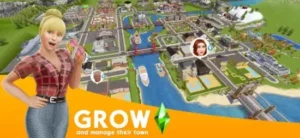
See your whole town from above on the map screen. Tap buildings to enter and manage them. The town grows visually as you add buildings and decorations. Satisfying to see progress.
Performance
Runs on most iPhones from iPhone 7 and newer. Battery drain is significant because of the 3D graphics. The game is demanding on older devices. Keep a charger nearby.
The Sims FreePlay Similar Games
| App | Main Similarity |
|---|---|
| The Sims Mobile | Life sim with customization and progression |
| Animal Crossing: Pocket Camp | Cozy customization and social visiting |
| Avakin Life | Avatar customization and social world play |
| BitLife | Life simulation and decision based progression |
| Home Street | Home building, character creation, and social features |
The Differentiation
The Sims Mobile is a newer Sims game with different mechanics. More focused on individual Sims with less town building. Animal Crossing: Pocket Camp is cozy with animal villagers instead of human Sims. Avakin Life focuses on social chat and avatar fashion with less home building. BitLife is text based life simulation without graphics or building at all. Home Street is similar but with less depth and a smaller player base.
The Sims FreePlay stands out for its town building scale. You control up to 34 Sims at once. You build an entire town from the ground up. The real time progression is unique among mobile life sims.
If you search The Sims FreePlay similar games, these five appear most often. Each does something well. The Sims FreePlay does town scale life simulation better than anyone.
The Sims FreePlay Tips and Tricks
Prioritize Goals That Unlock New Buildings
Main goals unlock new lots and buildings for your town. Focus on completing them. Side goals give smaller rewards like currency. Main goals grow your town and unlock new features.
Use Long Real Time Tasks When You Are Not Actively Playing
Start 8 hour tasks before going to bed. Start 4 hour tasks before going to work. Sim progress continues while you are away. Wake up or return to rewards waiting.
Balance Sim Needs So You Do Not Waste Time
Keep your Sims happy with full needs bars. Low energy or low hygiene slows down task completion. Address needs before starting long tasks. Happy Sims work faster.
Expand Your Town Strategically
Save your currency for buildings that unlock new features and activities. Do not spend on cosmetic items early in the game. Function over form at first.
Visit Friends’ Towns for Inspiration and Social Rewards
Social Points are hard to earn through regular play. Visit friends daily for rewards. Also see how other players build their towns. Get inspiration for your own designs.
Focus on Hobbies and Careers Early
Hobbies earn Lifestyle Points, the premium currency. Careers earn Simoleons, the basic currency. Both are essential for progression. Level them up early.
Plan House Layouts Before Buying Too Much Furniture
Furniture costs money that could be spent elsewhere. Plan room sizes first. Decide where furniture will go. Buy furniture after. Avoid wasting Simoleons on items that do not fit.
Use Lifestyle Points Carefully
Lifestyle Points are rare and hard to earn. Use them to skip long timers on important goals. Do not waste them on short tasks of 5 minutes. Save for 8 hour or 12 hour skips.
Complete Daily Tasks
Daily tasks give small rewards each day. Check them every time you log in. Consistent completion adds up over weeks and months.
Participate in Seasonal Events
Events give exclusive items not available anywhere else. Limited time only. Do not miss them. Log in during event periods to get rare decorations and outfits.
The Sims FreePlay Monetization: Free vs Paid
Free Version
Full gameplay is accessible. All buildings and items can be obtained. Timers are long and require waiting. Progression is slow compared to paid. Free players need patience.
Simoleons
Earned through gameplay like jobs and hobbies. No need to buy with real money. Spending real money skips the earning time.
Lifestyle Points
Premium currency earned slowly through gameplay. Leveling up hobbies gives a few. Events give a few. Purchased with real money for faster progression.
Social Points
Earned through social features like visiting friends. Purchased with real money for faster accumulation.
Time Skips
Skip waiting on timers instantly. Purchased with Lifestyle Points or real money. The main paid advantage over free players.
Value Proposition
Free version is enjoyable but slow paced. Paid version skips waiting times. Decide based on your patience level and budget.
The Sims FreePlay Common Issues and Fixes
Long Timers
The game is designed to be slow. Start tasks before leaving the app. Use offline time for progress. Save Lifestyle Points for important skips.
Battery Drain
The game uses significant battery because of 3D graphics. Lower screen brightness. Close other running apps. Play while charging when possible.
Slow Progression
Focus on main goals first. Complete daily tasks every day. Be patient with the pace. The game rewards long-term play over weeks.
Relationship Progression
Relationships take time to build. Have Sims interact repeatedly over multiple sessions. Use romantic or friendly actions. Do not rush the process.
Event Difficulty
Some events require logging in multiple times per day. Set reminders on your phone. Prioritize event tasks over regular goals during event periods.
Conclusion
The honest answer is yes, if you enjoy life simulation and have patience. The Sims FreePlay is the most complete Sims experience on mobile devices. You build homes. You create characters. You grow a town. The real time system is slow but rewarding when you see your town grow. The game is meant to be played over months, not hours.
What works: Deep building and customization options. Control up to 34 Sims at once. Real-time progression works while offline. Town grows visually over time. Regular events and updates keep content fresh. Free to play with no purchase required.
What does not: Long timers test your patience. Battery drain is significant on older devices. Slow progression without spending money. Some events require frequent logins that may not fit your schedule.
What do you want from a life simulation game? If you want to build a town and guide virtual lives over a long period, The Sims FreePlay delivers. If you want fast progression without waiting, look elsewhere.
If you prefer a newer Sims experience with different mechanics, check out The Sims Mobile for a different life simulation.
Frequently Asked Questions About The Sims FreePlay
Is The Sims FreePlay really free?
Yes. The Sims FreePlay is completely free to download and play. You can build homes, create Sims, grow your town, and complete goals without spending money. The game includes optional in-app purchases for premium currency and time skips. Free players can enjoy everything but need patience with timers. You can start your The Sims FreePlay download from the App Store
How is The Sims FreePlay different from The Sims Mobile?
The Sims FreePlay focuses on town building with up to 34 Sims living in multiple homes. Real-time progression means actions take actual minutes or hours. The Sims Mobile focuses on individual Sims with fewer characters. FreePlay has deeper building and more Sims. Mobile has better graphics and more social features.
Why do actions take so long in The Sims FreePlay?
The game uses real-time progression by design. Cooking takes minutes. Working takes hours. Building takes days. The game continues when you are offline. Start long tasks before bed or work. Sims finish while you sleep. The slow pace is meant for long-term play over months.
How do I earn Lifestyle Points without spending money?
Level up hobbies to earn Lifestyle Points. Complete goals and achievements. Participate in seasonal events. Level up your Sim characters. Watch ads when available. Lifestyle Points are rare, so save them for long timer skips.
Where can I find official information and get support if I have issues?
The official EA website has information about The Sims FreePlay updates and events. For account issues, purchase problems, or technical support, contact EA customer support through the website. Official website: https://www.ea.com/games/library/mobile